Industrial Training · Philoentree IT Digital · 22 June – 14 August 2026
Software for shops
that actually use it.
Ivan Ngu
Swinburne University of Technology Sarawak
INDUSTRIAL PLACEMENT AT PHILOENTREE IT DIGITAL · 22 JUNE – 14 AUGUST 2026
INDUSTRIAL PLACEMENT AT PHILOENTREE IT DIGITAL · 22 JUNE – 14 AUGUST 2026


01
Hardware Shop
Till & stock
02
Car Wash
Job queue · ready
03
Staff Attendance
In daily use
04
Kopitiam
In daily use
05
Cat Cafe
Website & shop
06
Member App
On Android
01 · The Hardware Shop
One address, three ways in
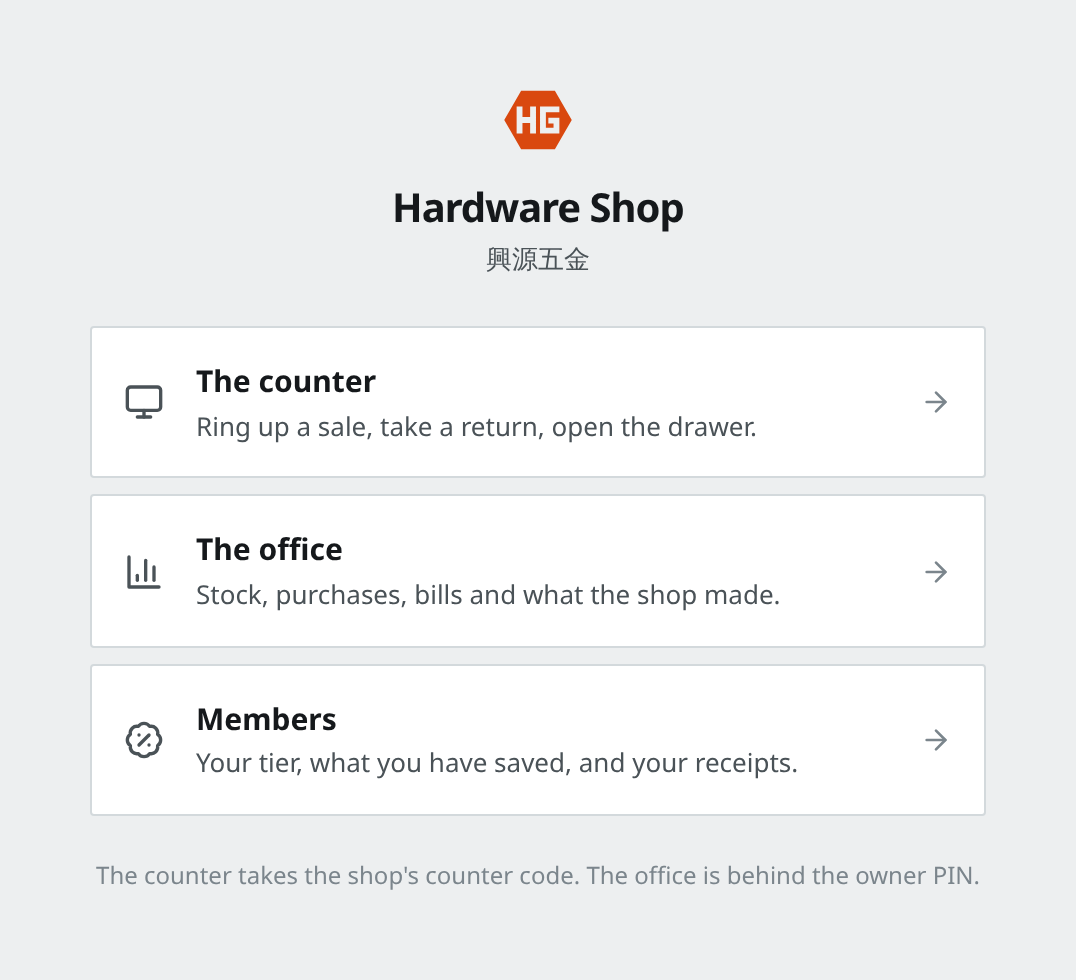
The first screen — pick where you are working today
The counter
Where sales happen. Opens with a short shop code once in the morning,
not a login for every customer.
The office
Stock, orders, bills and profit. Behind the owner's PIN, because that is
the part staff do not need to see.
Members
Customers check their own discount and receipts on their phone.
The Hardware Shop4
01 · The Hardware Shop
Serving a customer
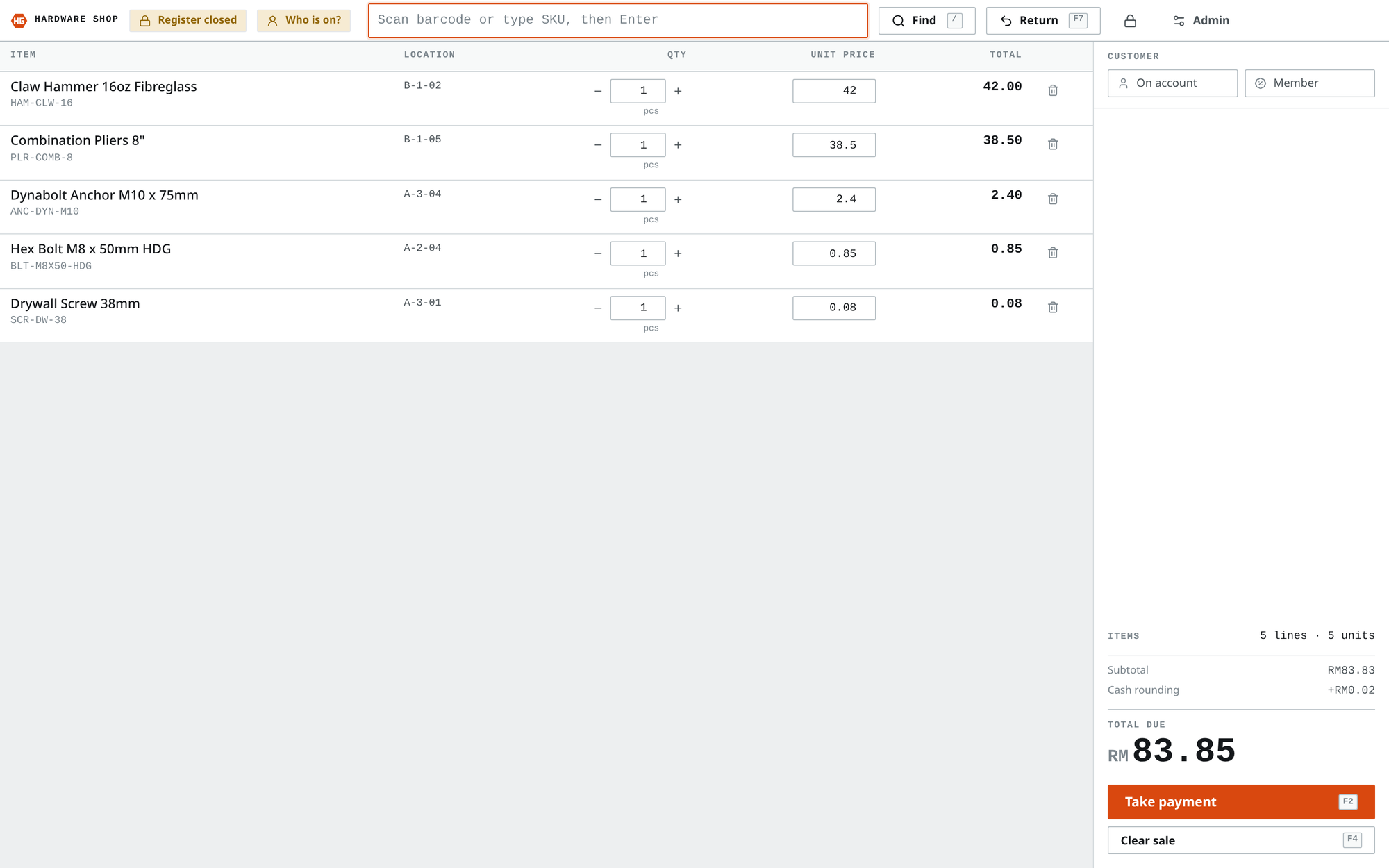
A real sale being rung up — five items, where each one sits in the shop, and what is owed
It even shows the shelf each item came from, so staff can find it again5
01 · The Hardware Shop · New
Proper invoices for bigger sales
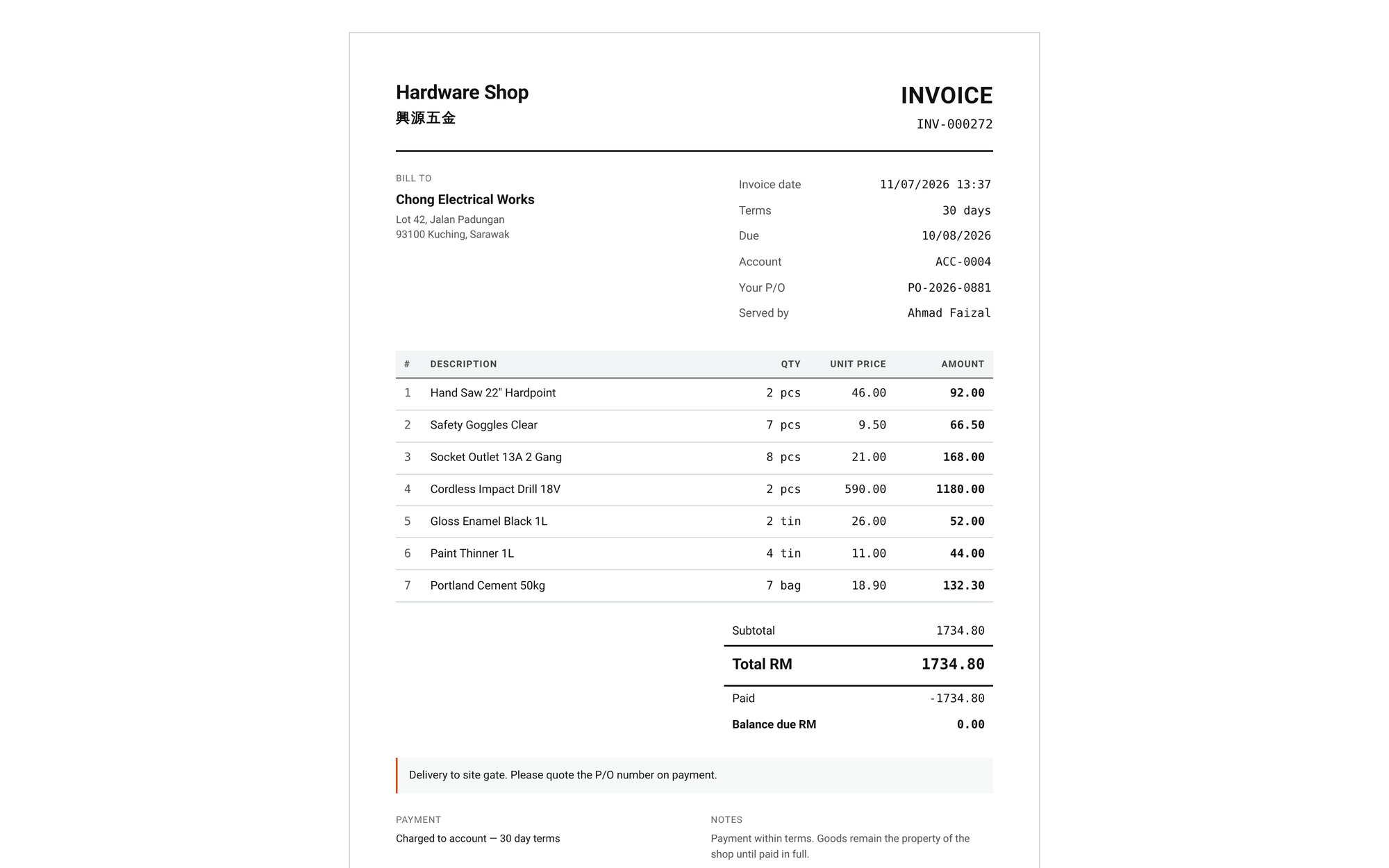
The finished invoice — ready to print or email as a PDF
Why it was needed
A small receipt is fine for a walk-in customer. A company buying
RM1,700 of tools needs a real invoice their accounts office will accept.
It fills itself in
The company name, tax numbers and payment terms come from the customer's
account. The cashier only adds their address and order number.
Check before you print
You see the actual invoice on screen and can edit who it is addressed
to — but never the prices. What was sold is what was sold.
The Hardware Shop6
01 · The Hardware Shop · New
Edit on the left, see it on the right
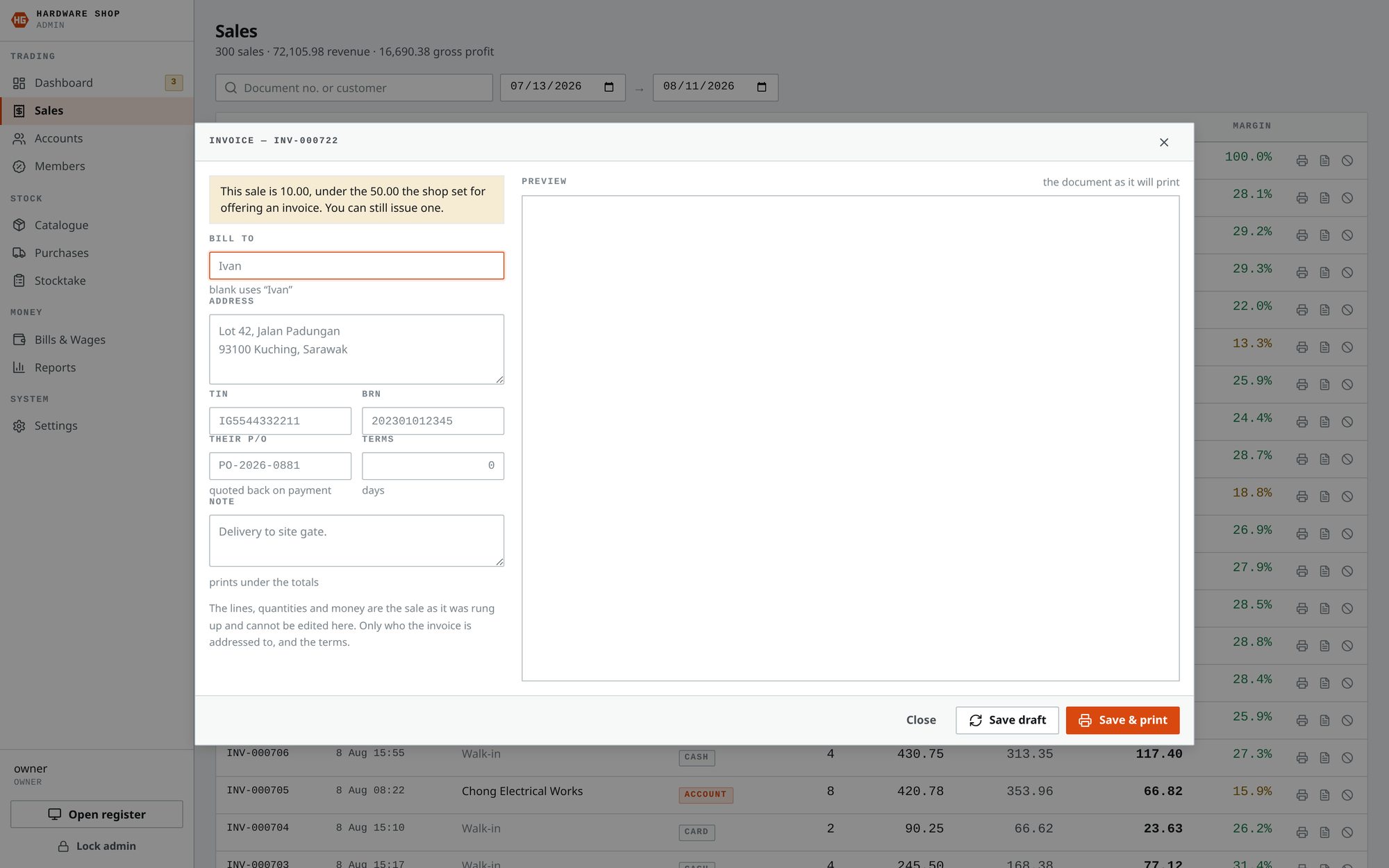
Per sale — type the customer's details, watch the invoice update
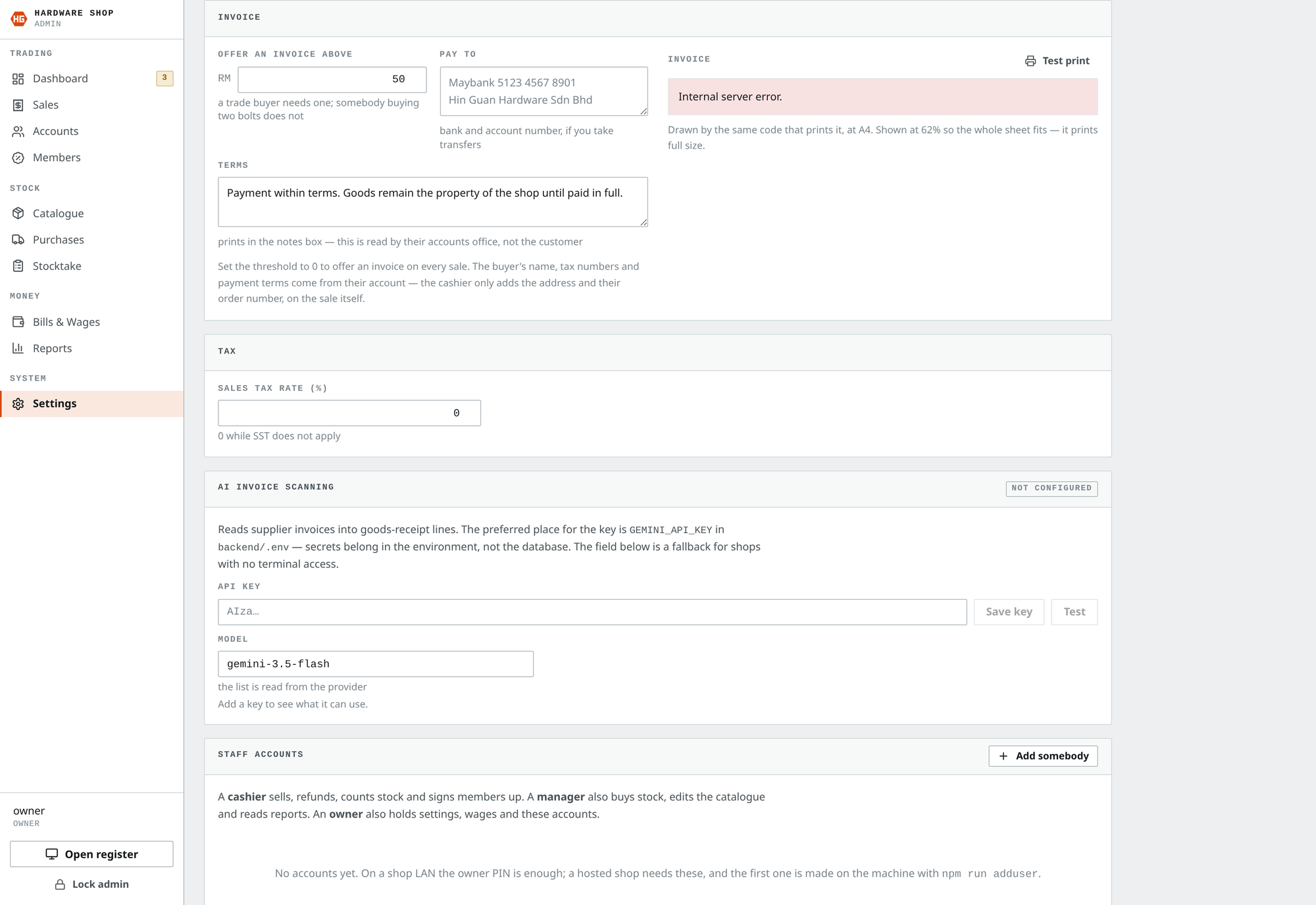
In Settings — set the wording once, alongside the receipt
Prices and items are locked — only who it is billed to can change7
01 · The Hardware Shop
What the shop actually made
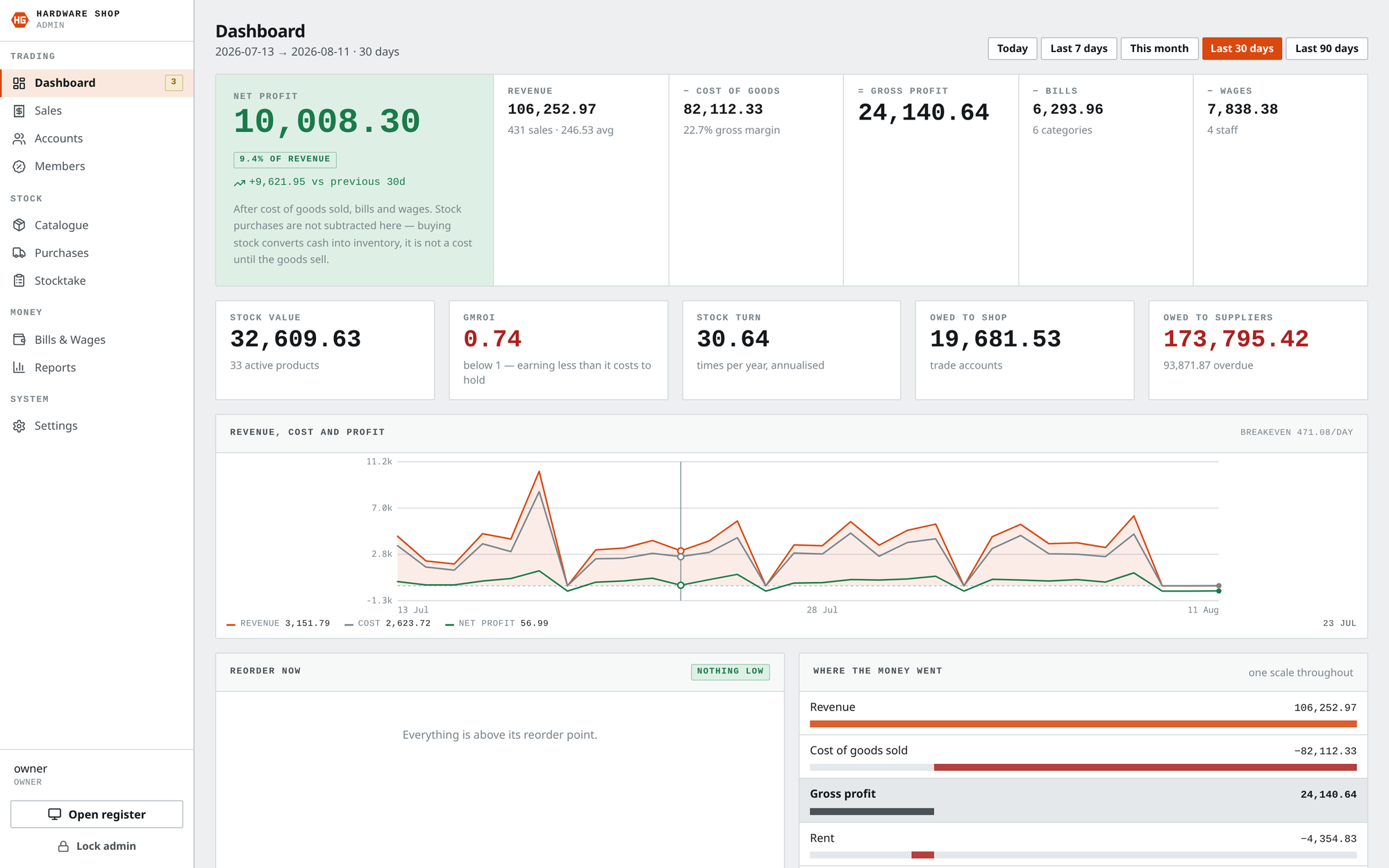
Money in, money out, and what is left — for any period you pick
Profit, not just sales
Plenty of tills show what came in. This one takes off what the goods
cost, the bills and the wages, and shows what the shop kept.
It warns you
Stock that is sitting too long, or earning less than it costs to keep,
is flagged in red in plain words.
Kept last month
RM
from 431 sales
The Hardware Shop8
01 · The Hardware Shop
Knowing what is on the shelf
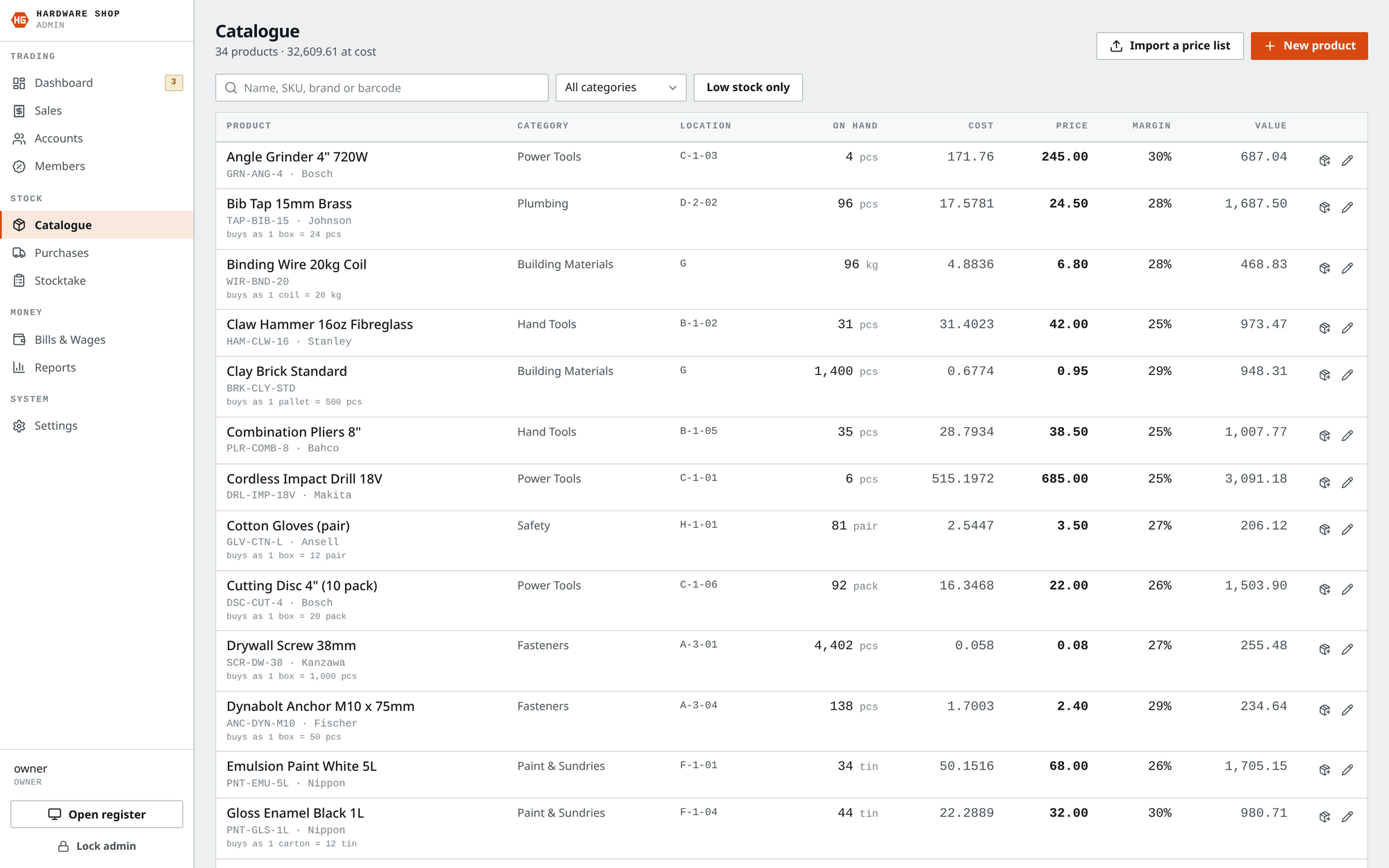
Every item, what it cost, what it sells for, and how many are left
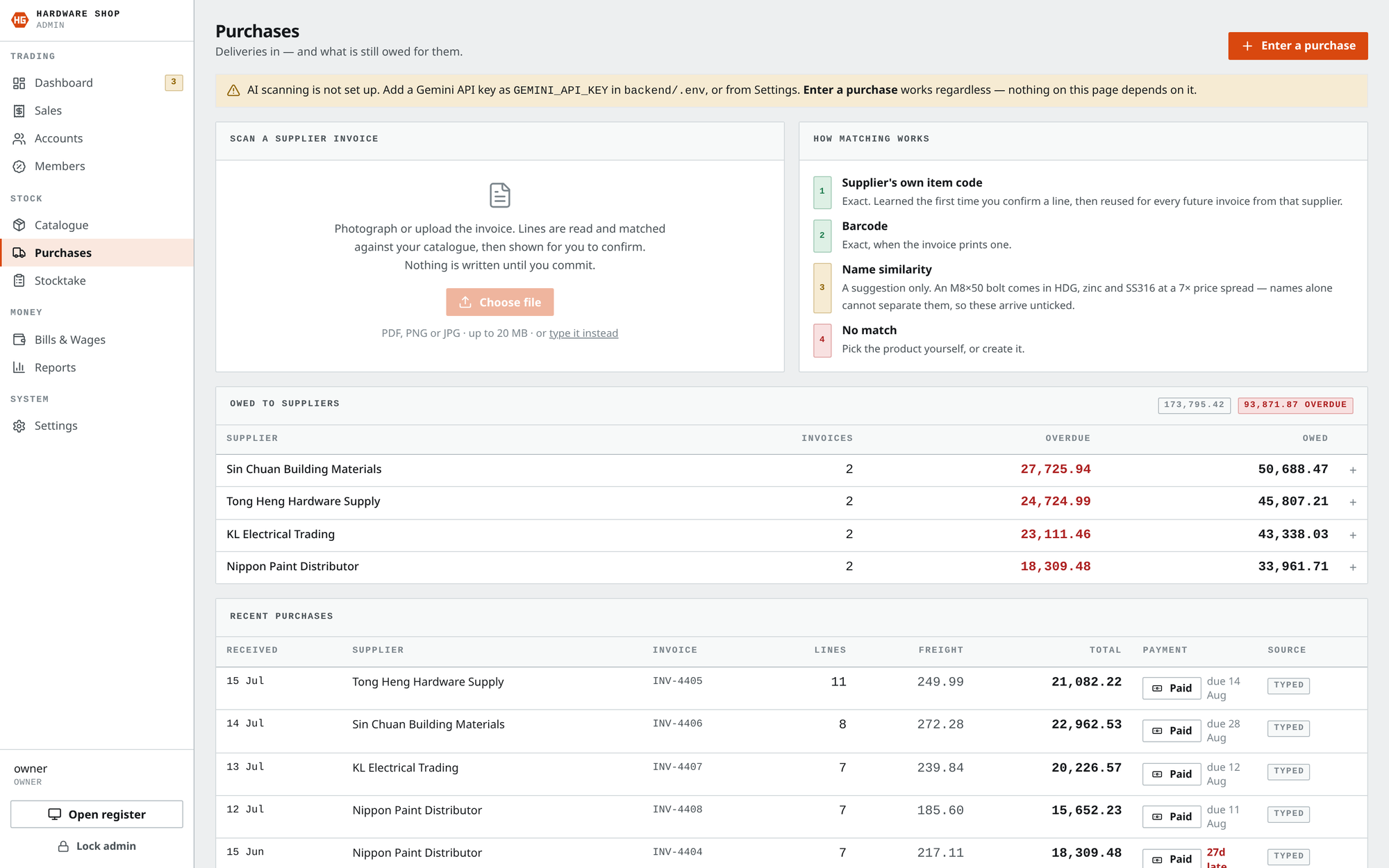
Supplier orders — and a photo of an invoice can be read in automatically
Counting the shelf never erases history — a correction is recorded, so losses show up9
02 · The Car Wash
Where every car is, right now
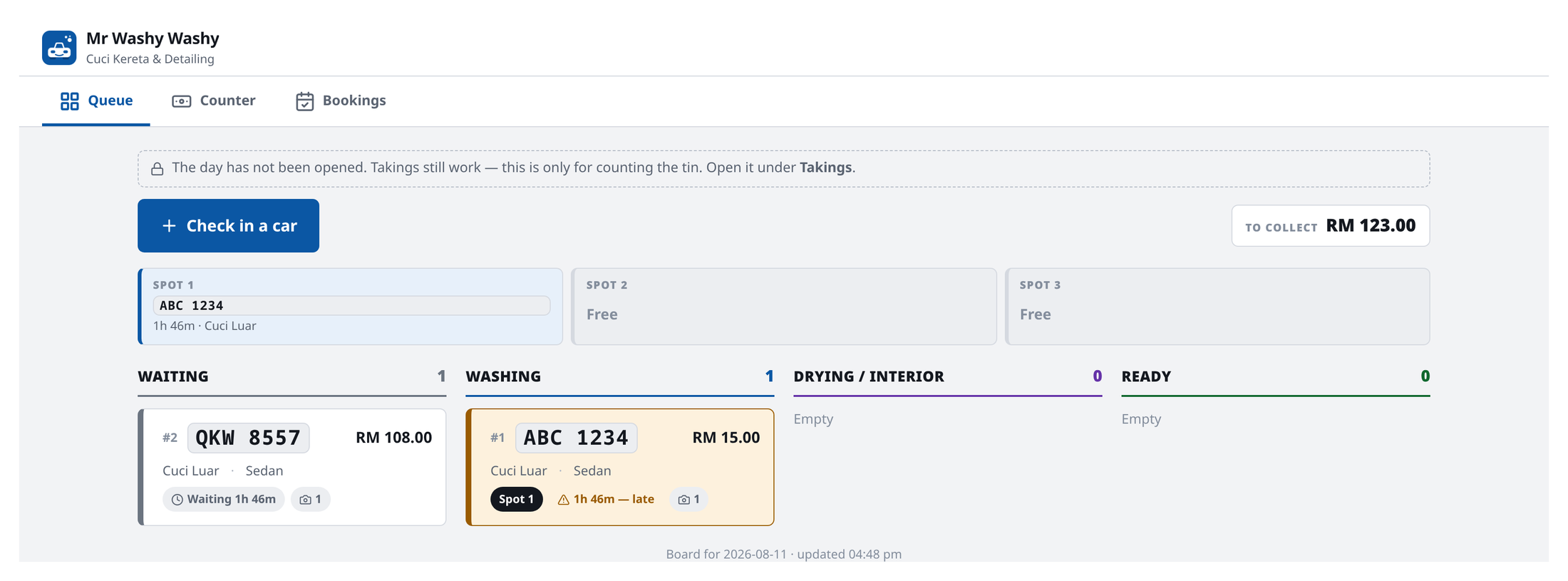
Number plates, which bay each car is in, how long it has been there, and what is owed
A car taking too long turns amber by itself — nobody has to notice11
02 · The Car Wash
Taking the car in, taking the money
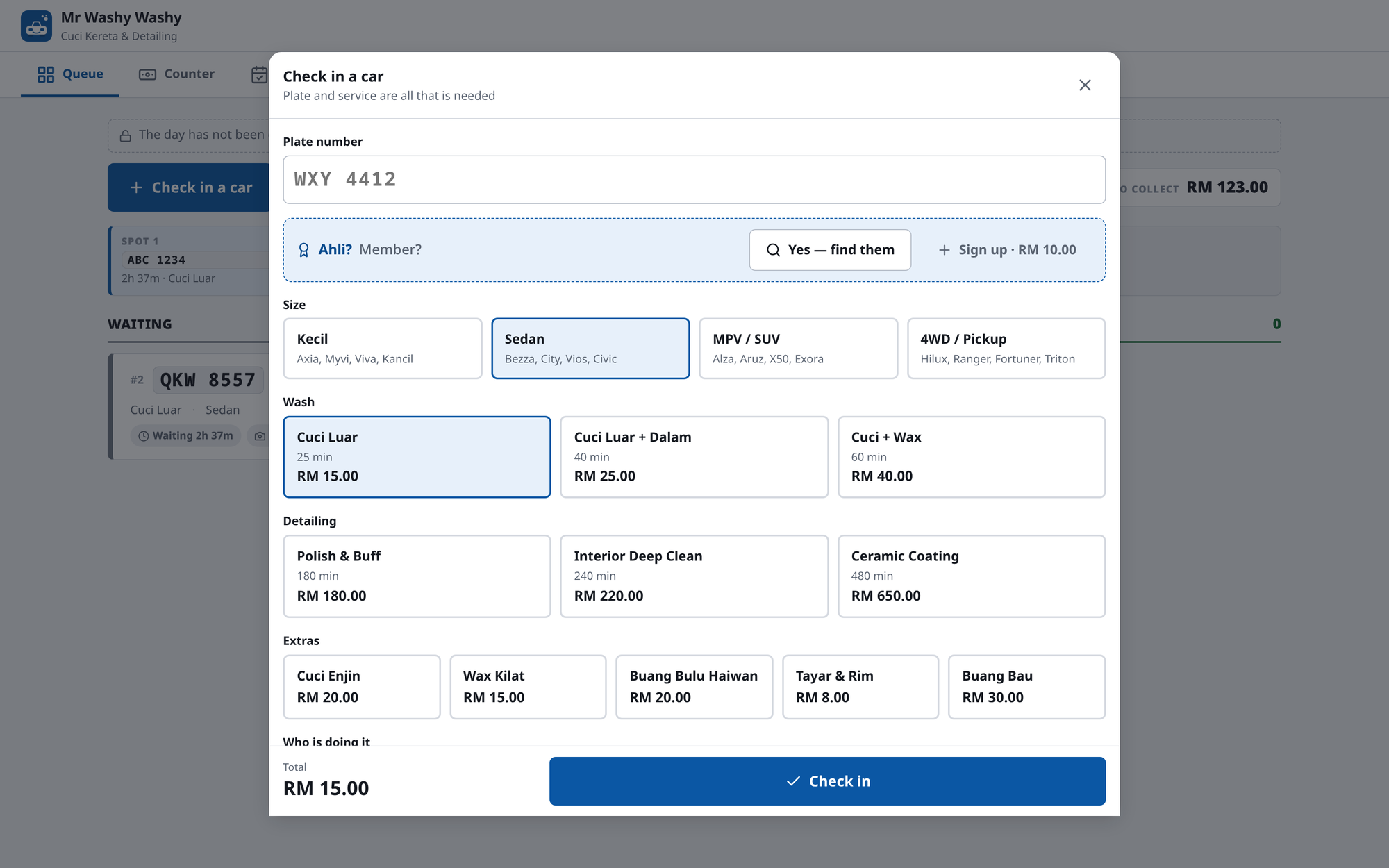
Check-in — plate, car size, service, and a walk-around for existing scratches
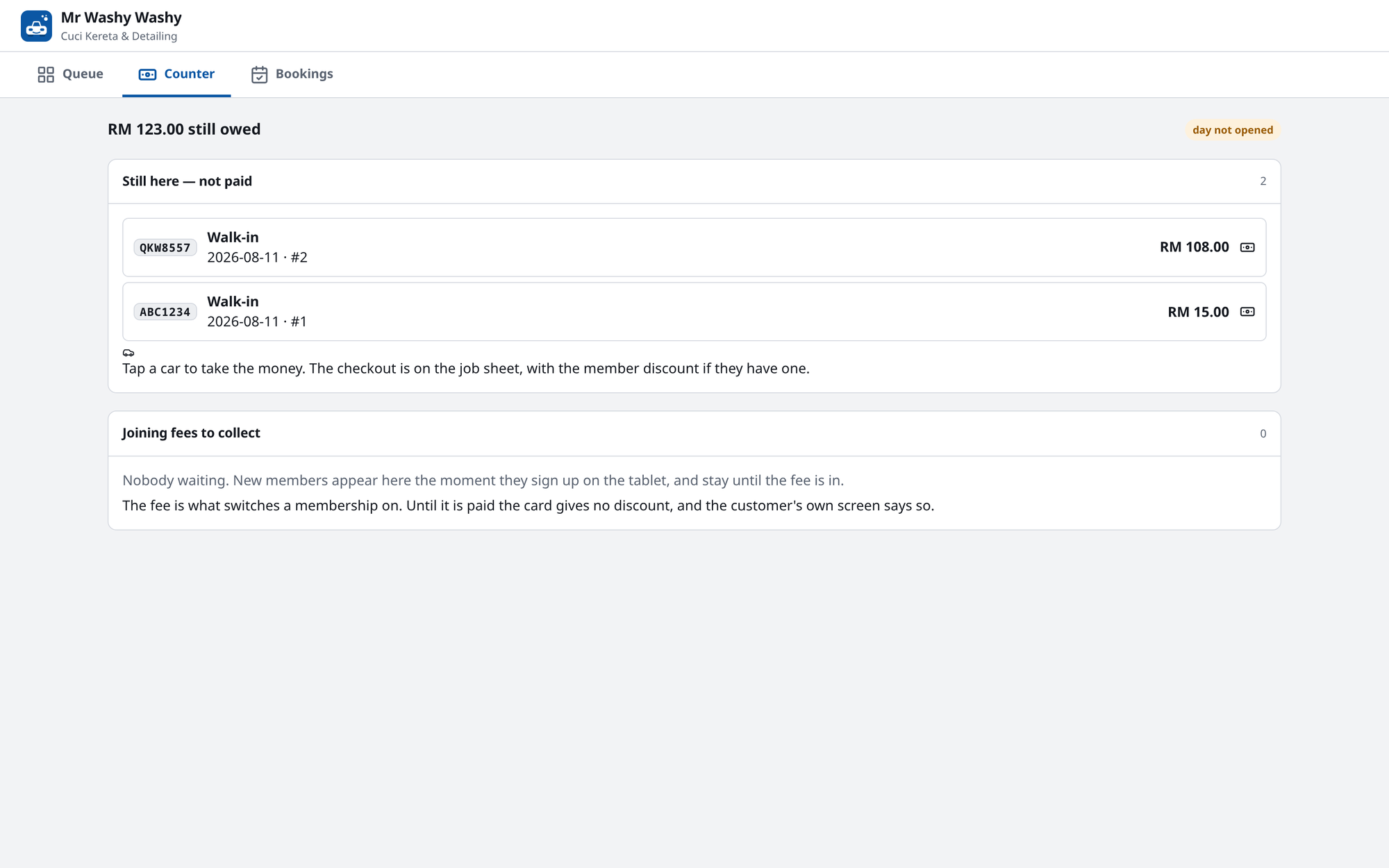
The counter — what has been collected today
Photographing damage on arrival protects the shop from being blamed for it later12
02 · The Car Wash
What the customer sees
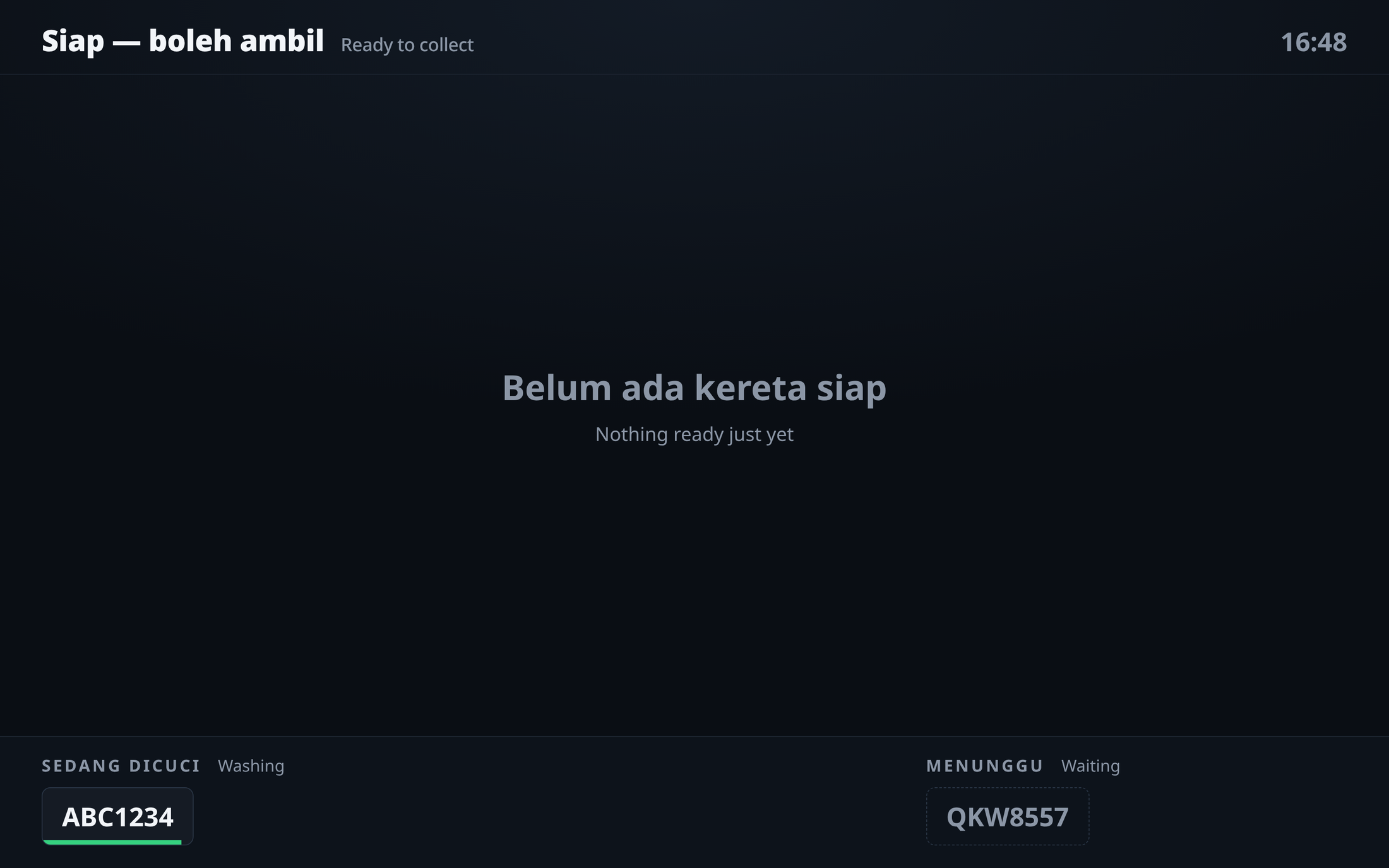
The waiting-room TV — big enough to read from across the forecourt
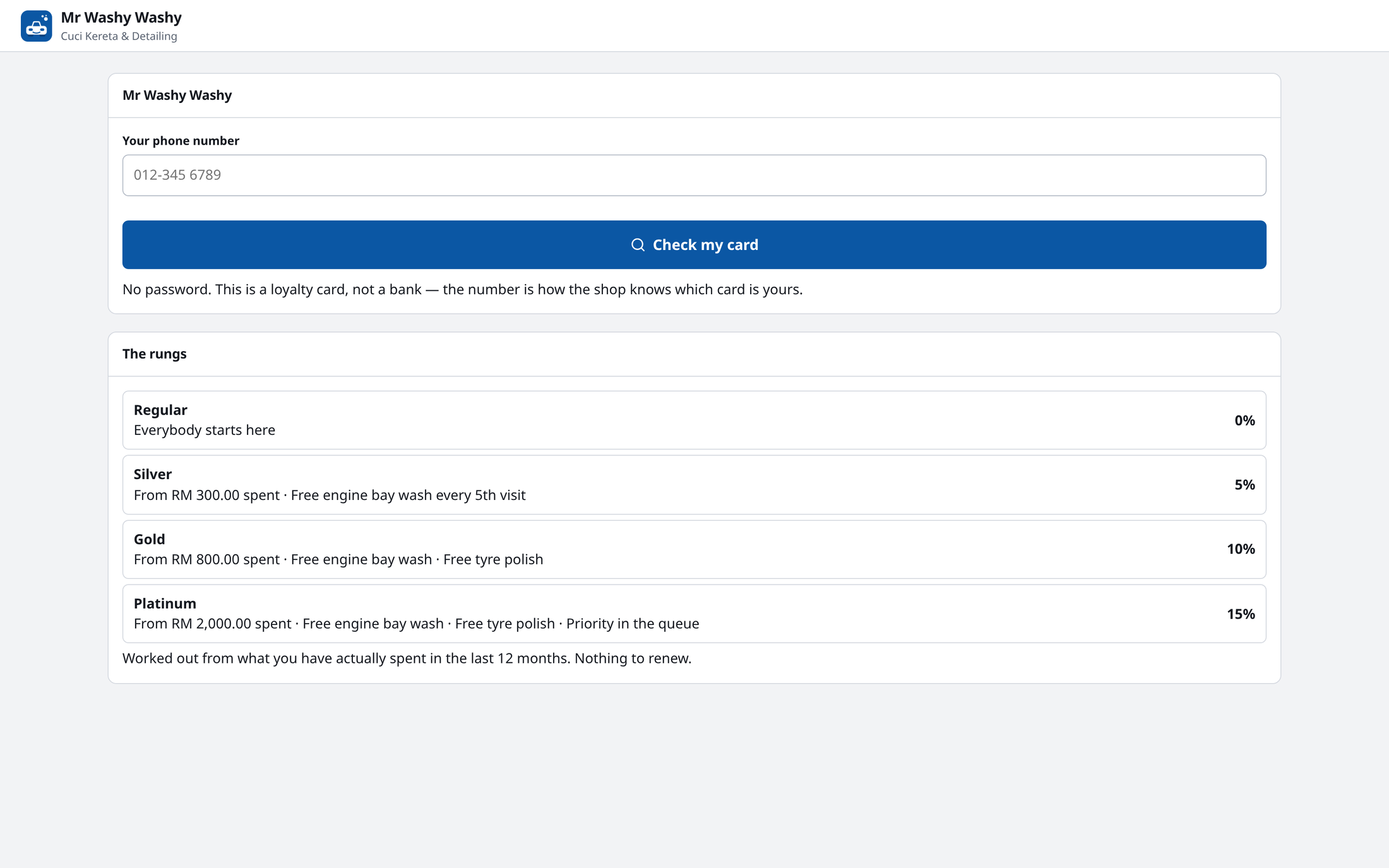
Regulars check their discount with just a phone number — no password to forget
The Car Wash13
02 · The Car Wash
The other side of the counter
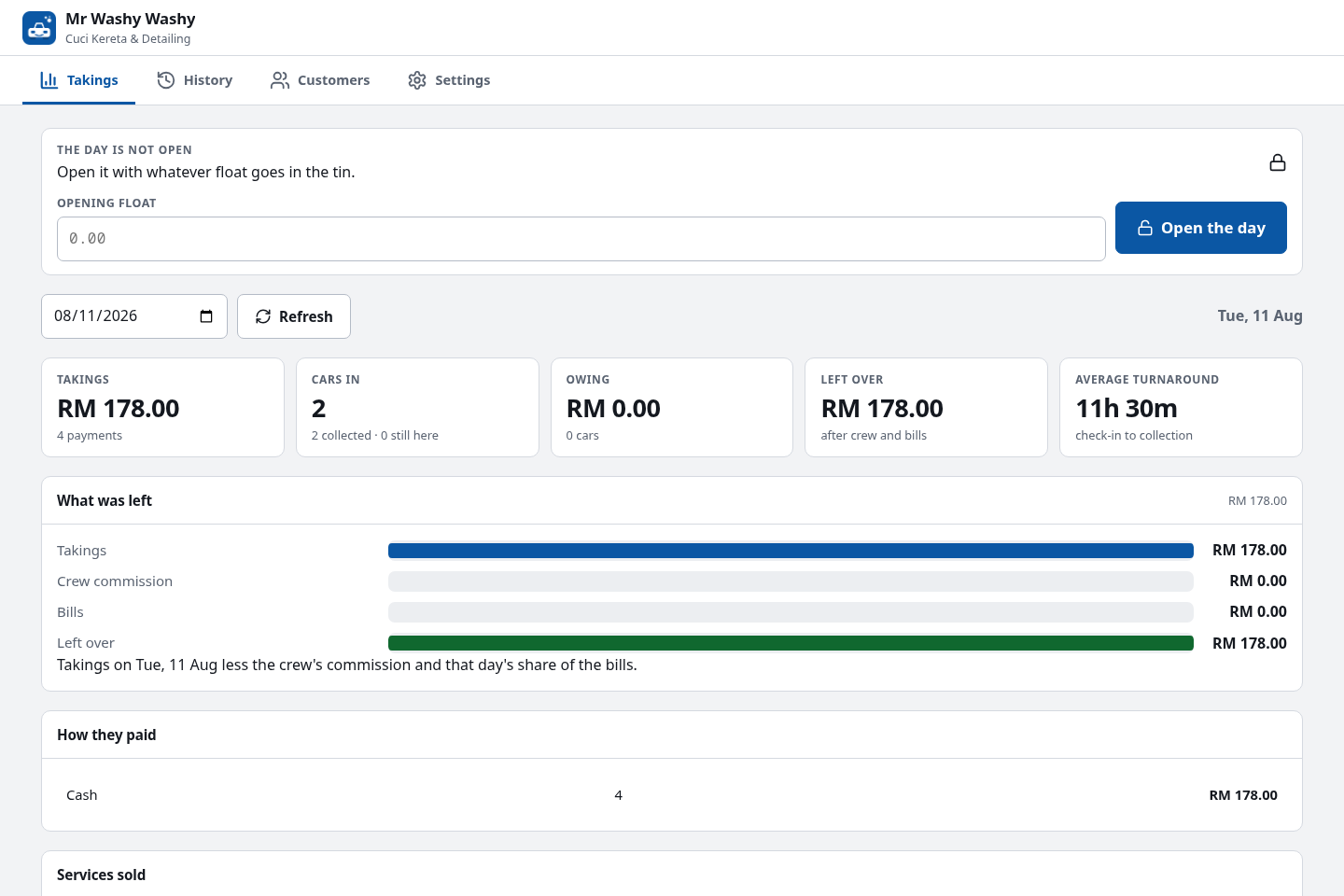
A day's takings — cars in, average turnaround, and what is left after the crew and the bills
What the owner actually asks
Not "how much did we ring up", but "what is left after the crew's
commission and today's share of the bills". So that is the number the screen
is built around.
Every car, every plate
A searchable history of jobs — plate, service, what was paid — so a
question about last Tuesday has an answer.
Behind a PIN, on purpose
The floor tablet shows the queue; the money is one door further in, so
a screen on the wall is never a screen showing the takings.
The Car Wash14
03 · Staff Attendance
Three checks, so nobody can cheat it
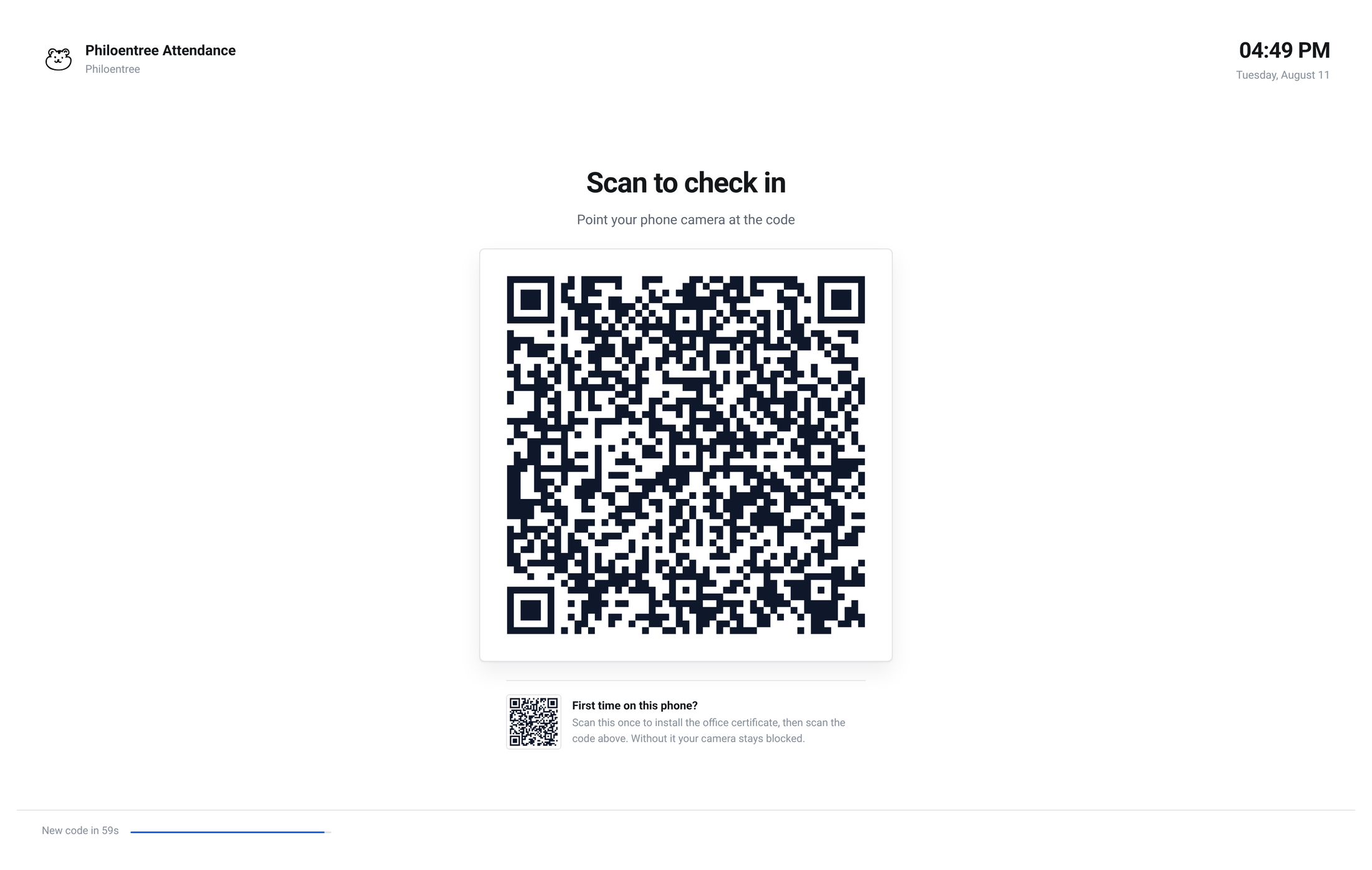
The screen at the door — the code changes every minute
| The check | Stops someone from… |
|---|---|
| Are you in the office? | Photographing the code and sending it to a colleague at home |
| Is the code fresh? | Reusing a screenshot they took last week |
| Is it really you? | Clocking in on a friend's phone |

Why Fedora, and not Windows
The office machine is a 2014 desktop — an i7-4790, 16 GB of DDR3
and Intel HD 4600 graphics, shipped with Windows 11 Pro. Windows left very
little of it for anything else. Moving it to Fedora Linux gave the whole
machine back to the work, and the face matching runs on the CPU with no graphics
card at all.
Not tied to one office
Built for ours, but nothing in it is specific to us — another office
sets its own address range, adds its people, and it works the same day.
Why it stays accurate
It compares your face only against your own photos, rather than searching
the whole staff list. That stays just as reliable whether the office has ten people
or a thousand.
The office host: Intel i7-4790 · 16 GB DDR3 · 512 GB SSD · Intel HD 4600 · Fedora Linux16
04 · The Kopitiam
Ordering from the table
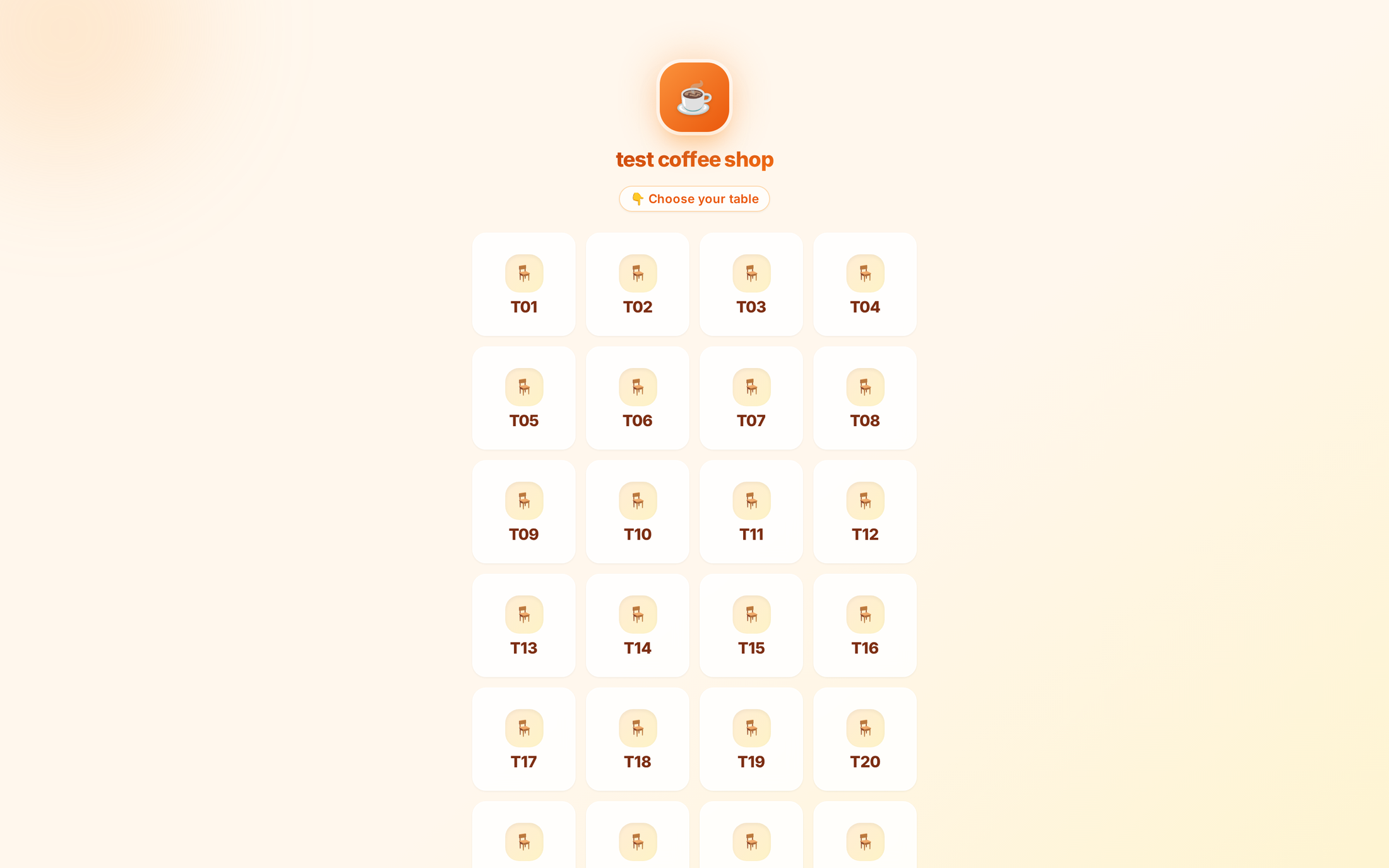
The customer picks their table, then orders from their own phone
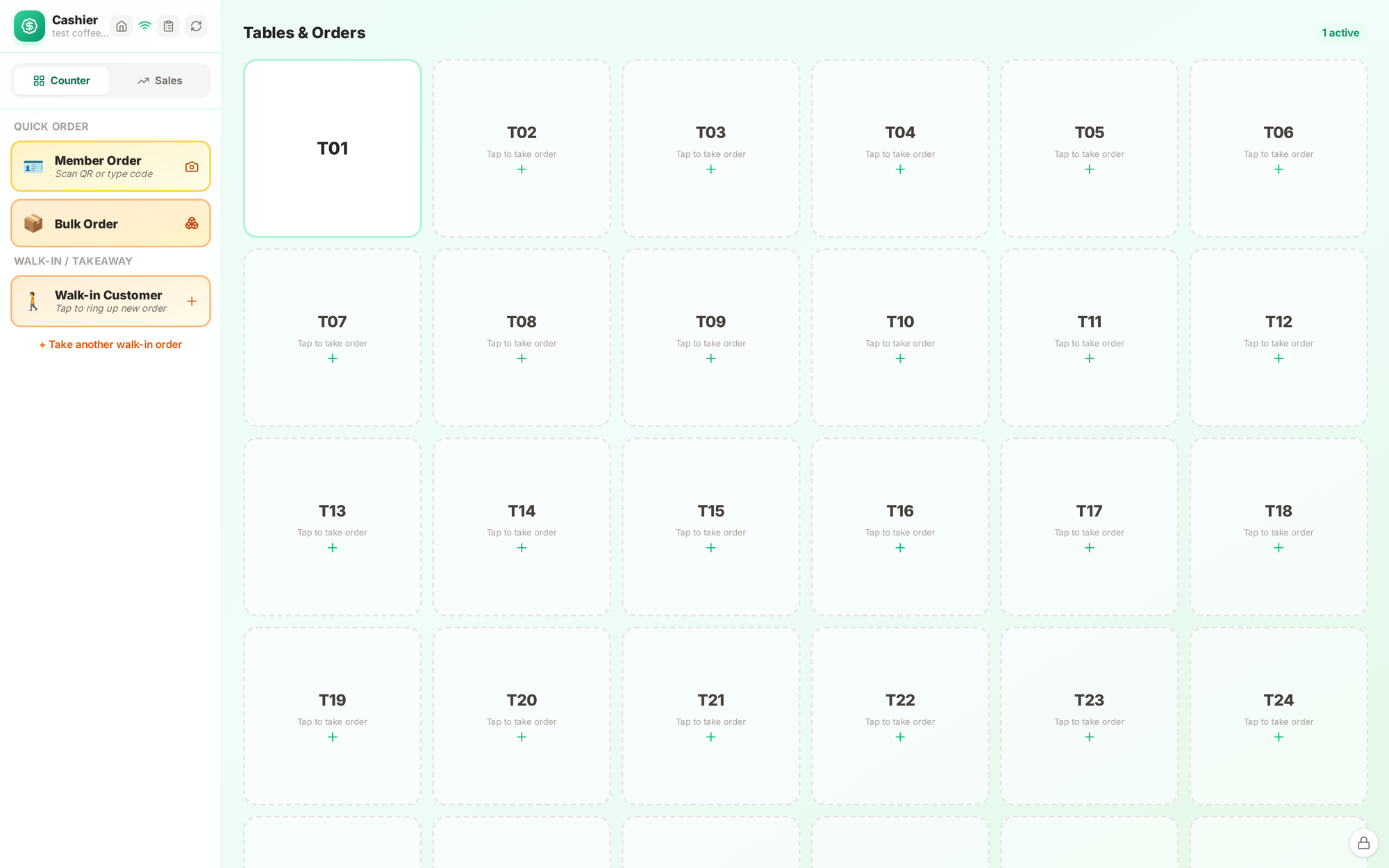
The cashier — open tables, the running bill, discounts and payment
The Kopitiam18
04 · The Kopitiam
The kitchen and the office
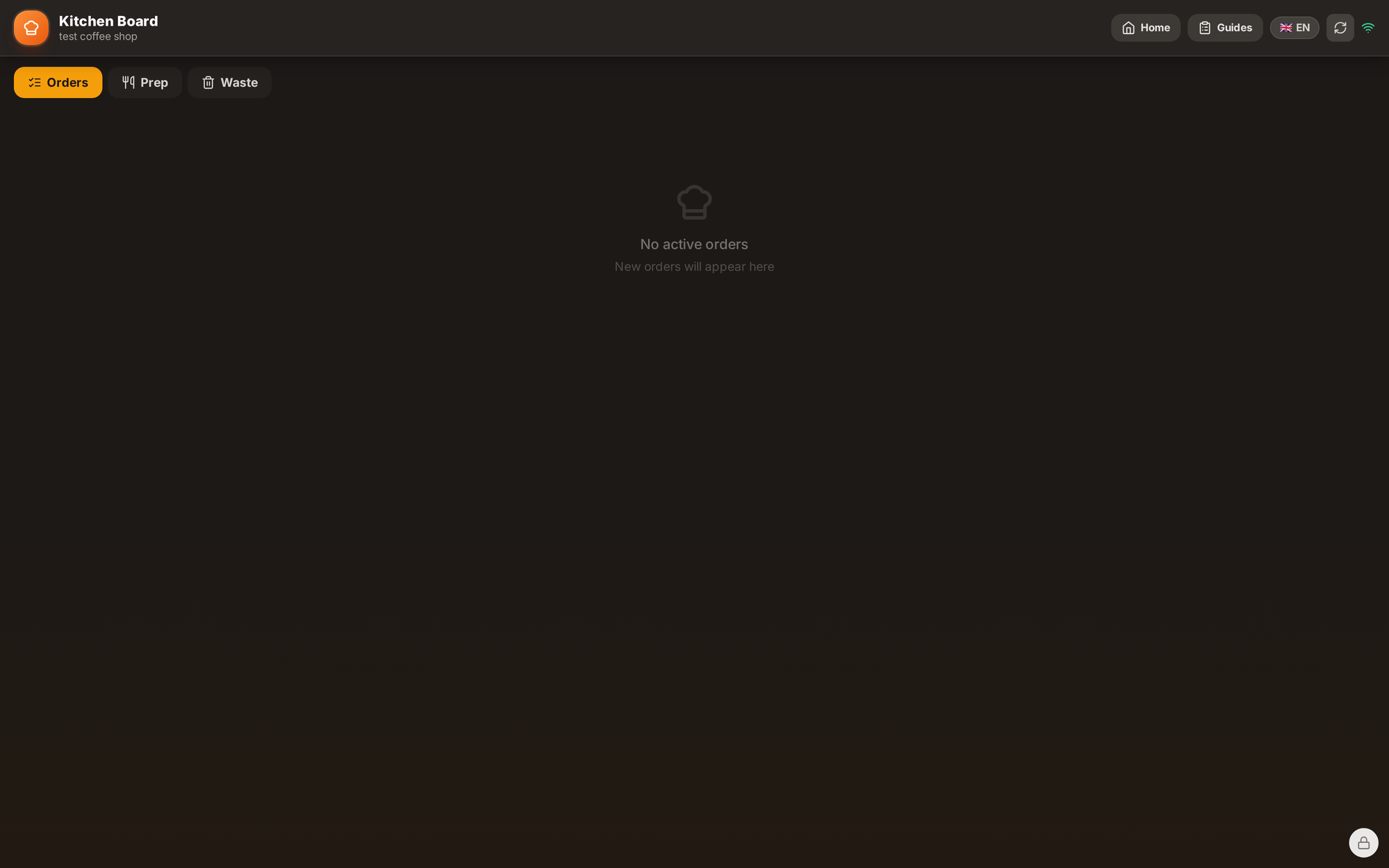
The kitchen screen — no paper tickets to lose
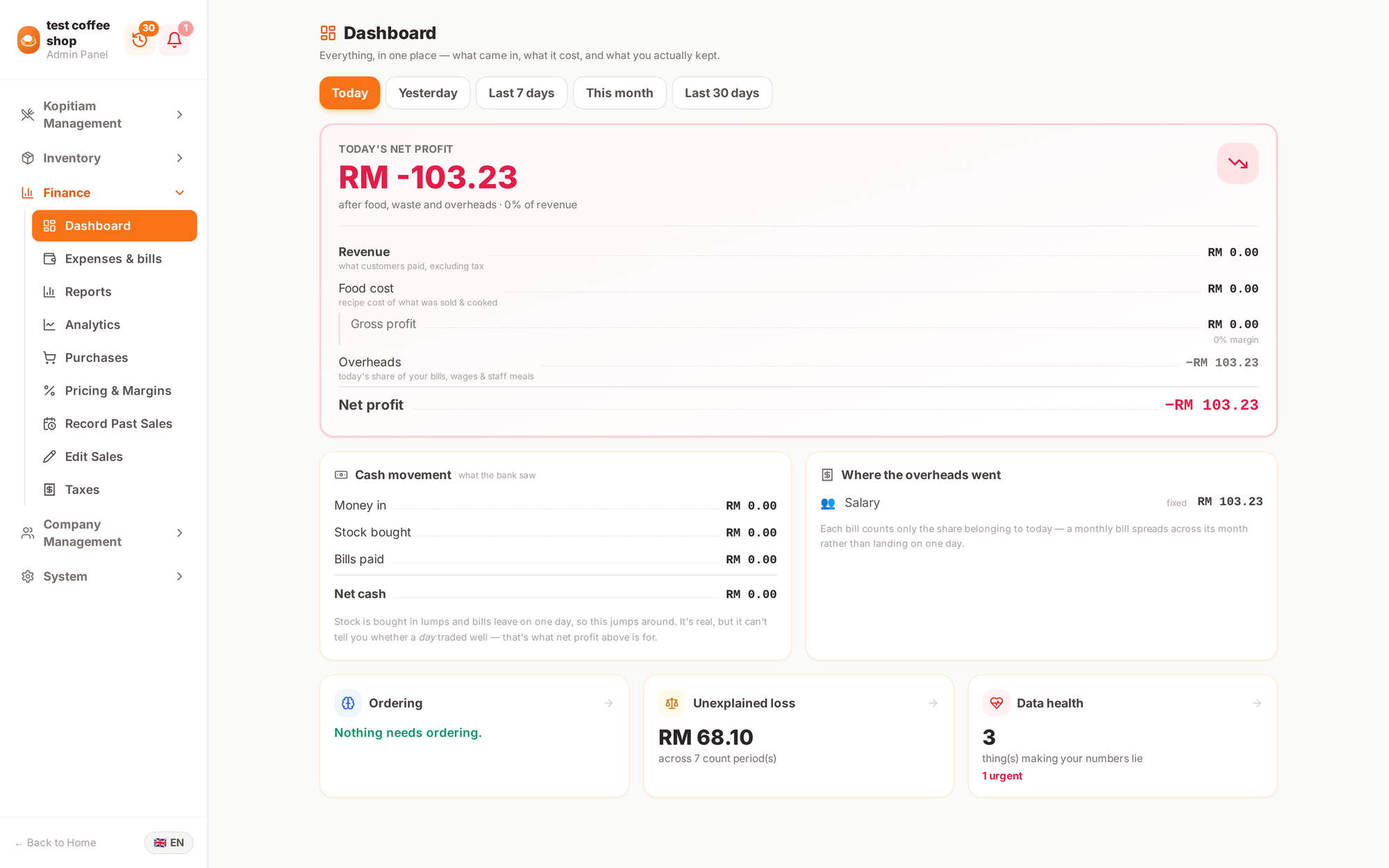
The owner's page — sales, tables, staff and stock
The Kopitiam19
04 · The Kopitiam
Photograph a supplier receipt, and it files itself
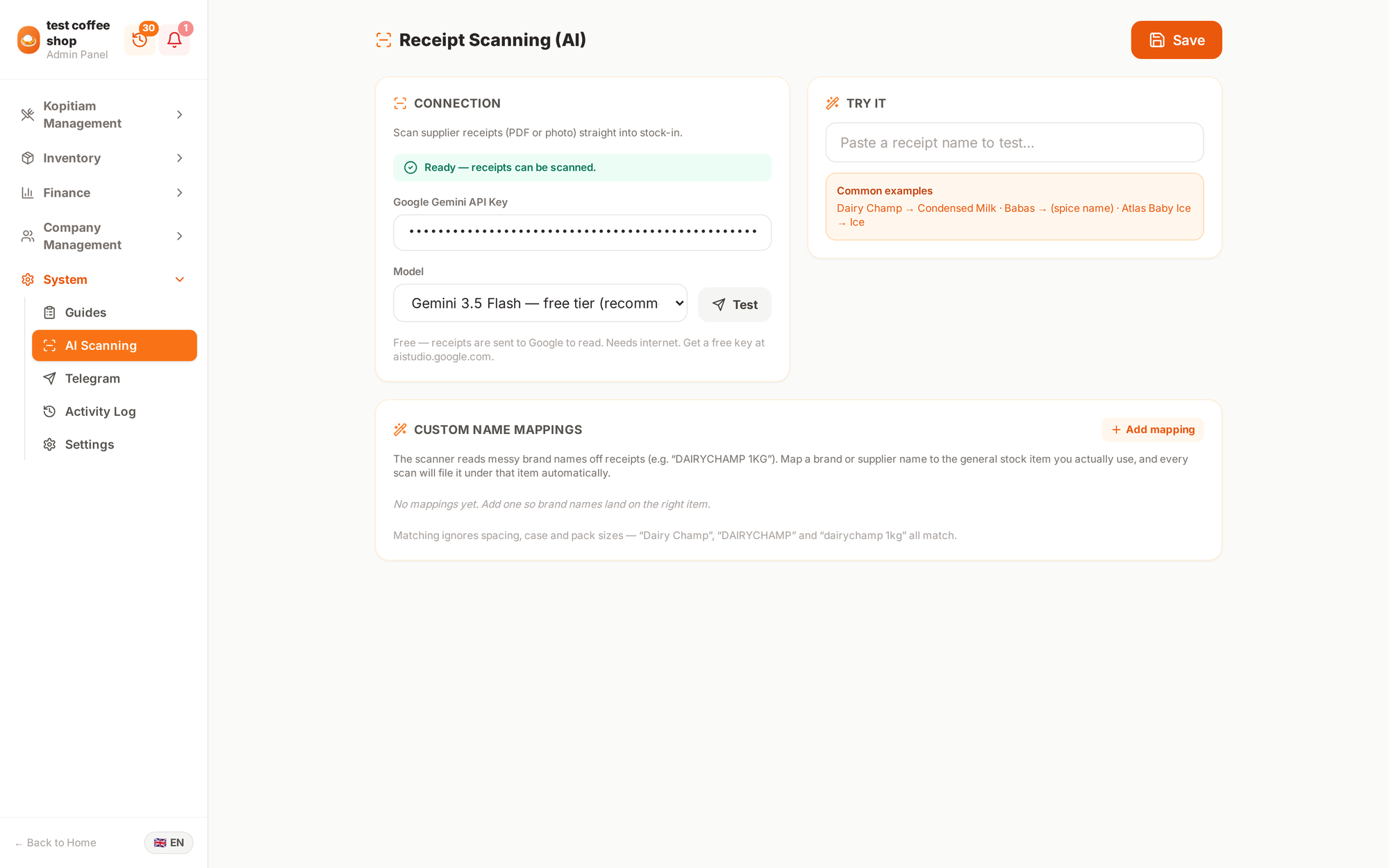
Receipt scanning — a photo or PDF goes straight into the stock records
The problem it solves
Someone used to type every delivery in by hand, line by line, after a
long shift. That is where mistakes come from.
It learns the messy names
Suppliers write "DAIRYCHAMP 1KG" where the kitchen says "condensed milk".
You teach it once and every future receipt files itself correctly.
It is optional
Turn it off and everything still works by hand. It saves time; nothing
depends on it.
The Kopitiam20
04 · The Kopitiam
The numbers, and the menu
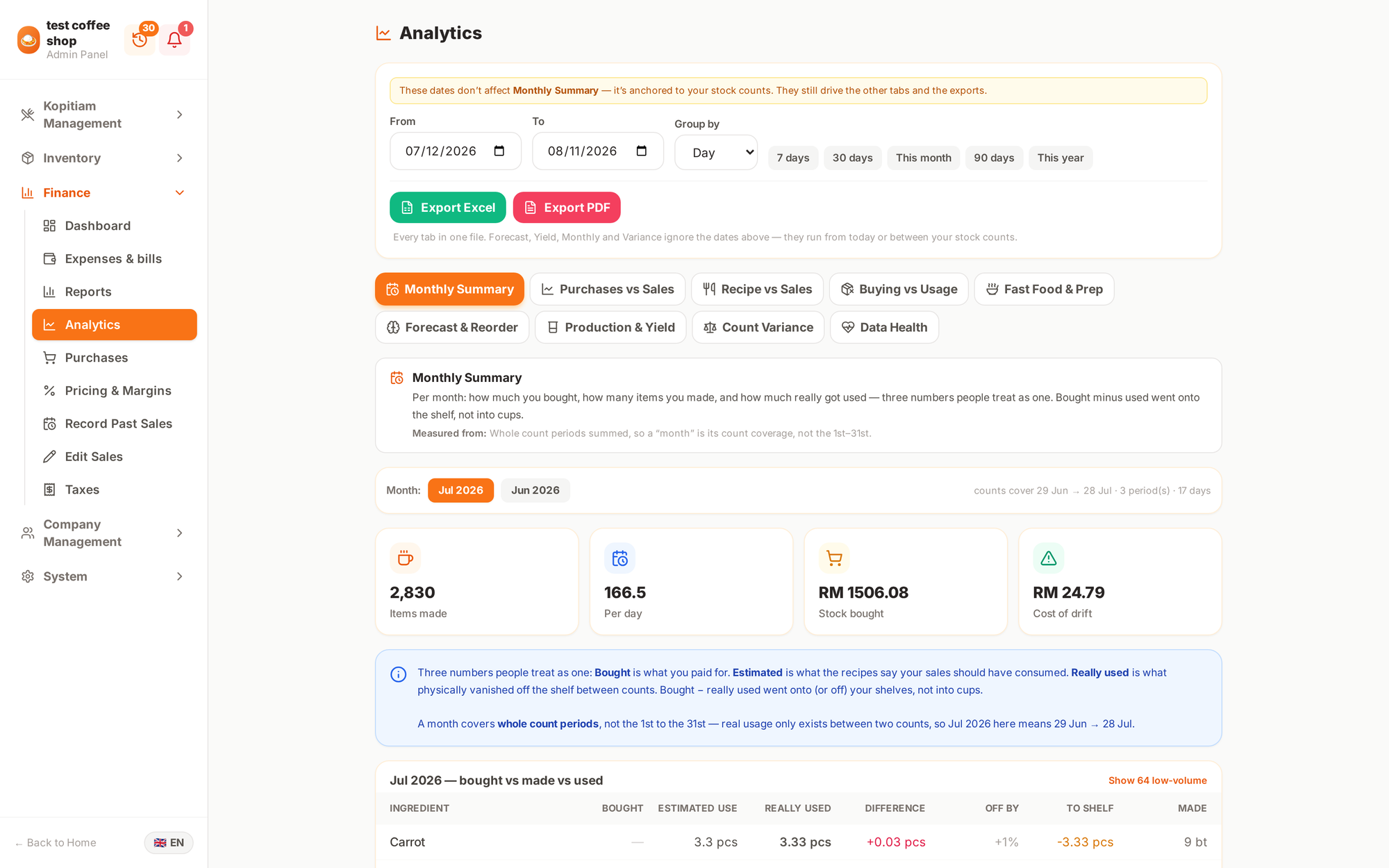
Sales over time, and which dishes actually make money
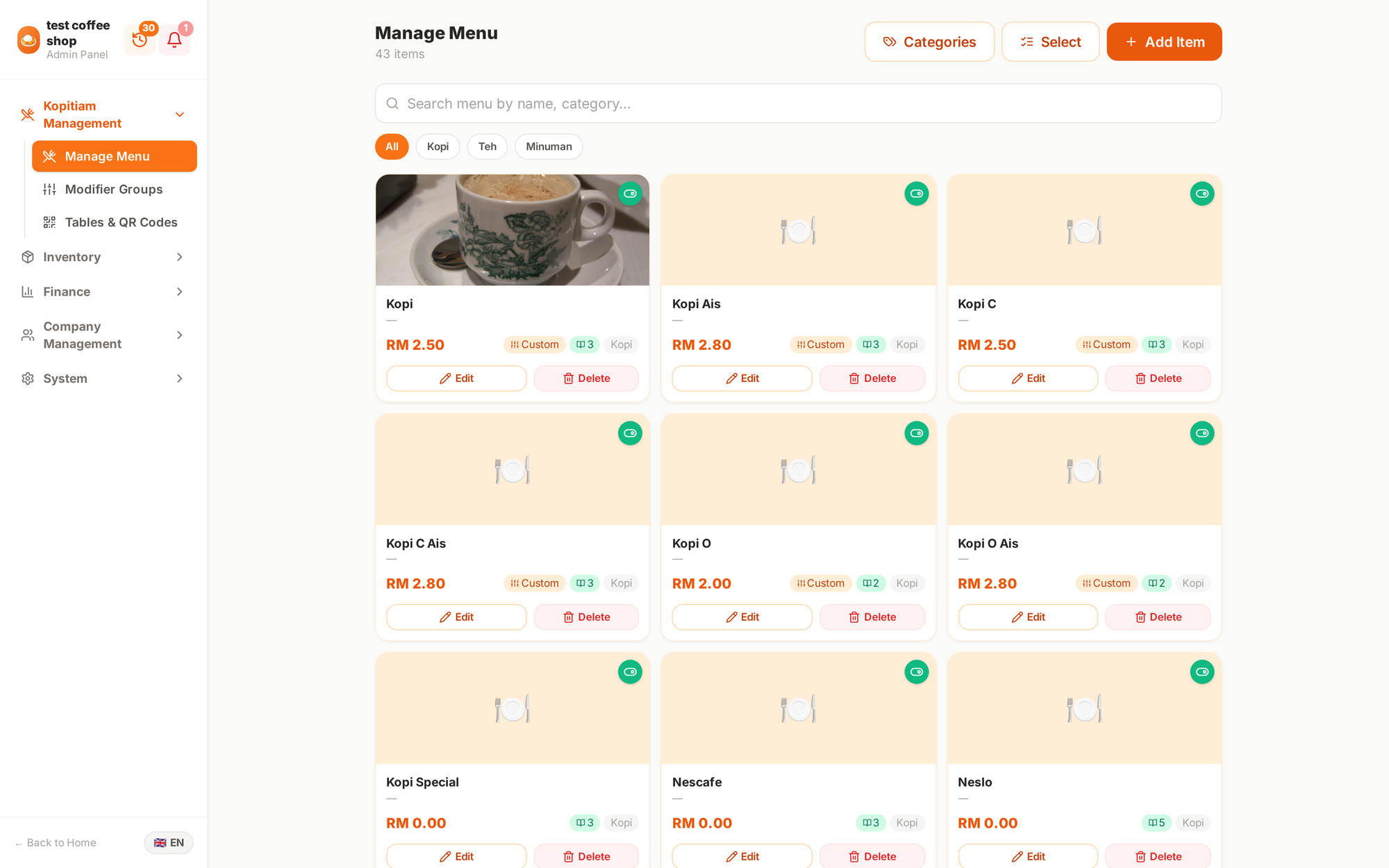
The menu — prices, photos and what is available today
The Kopitiam21
05 · The Cat Cafe
The website
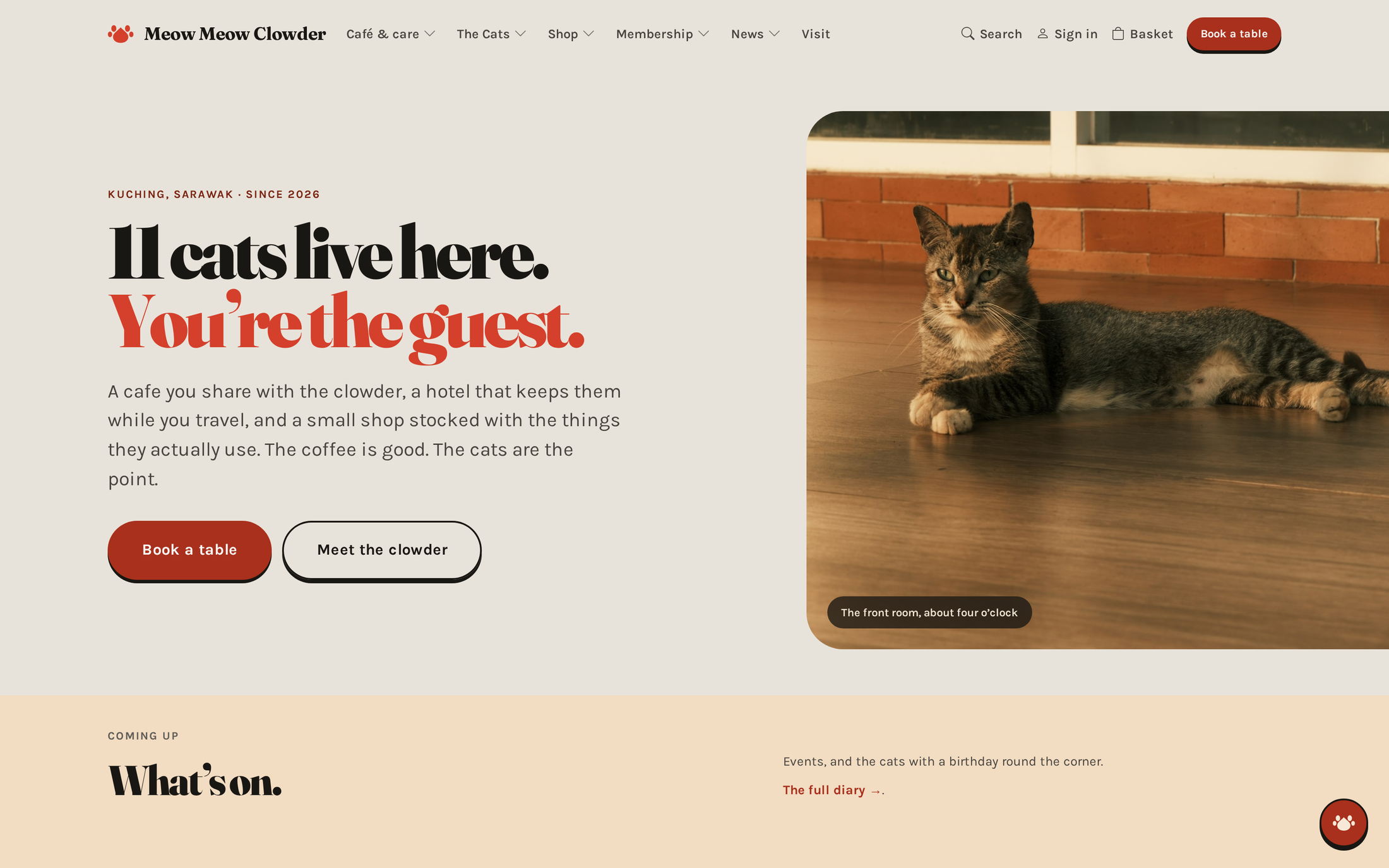
"11 cats live here. You're the guest."
The Cat Cafe23
05 · The Cat Cafe
Every part of the business has a page
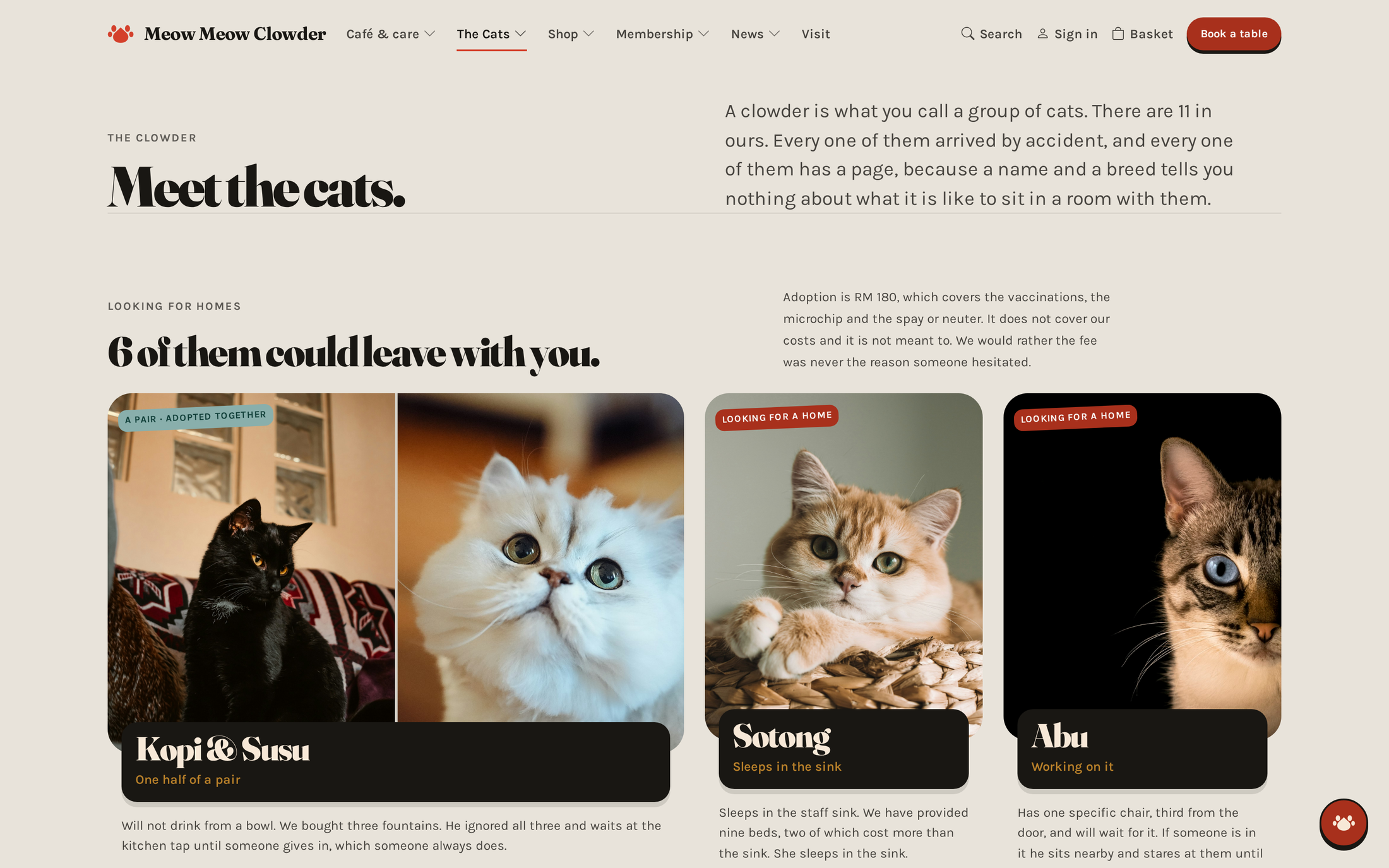
The cats — each one has a page
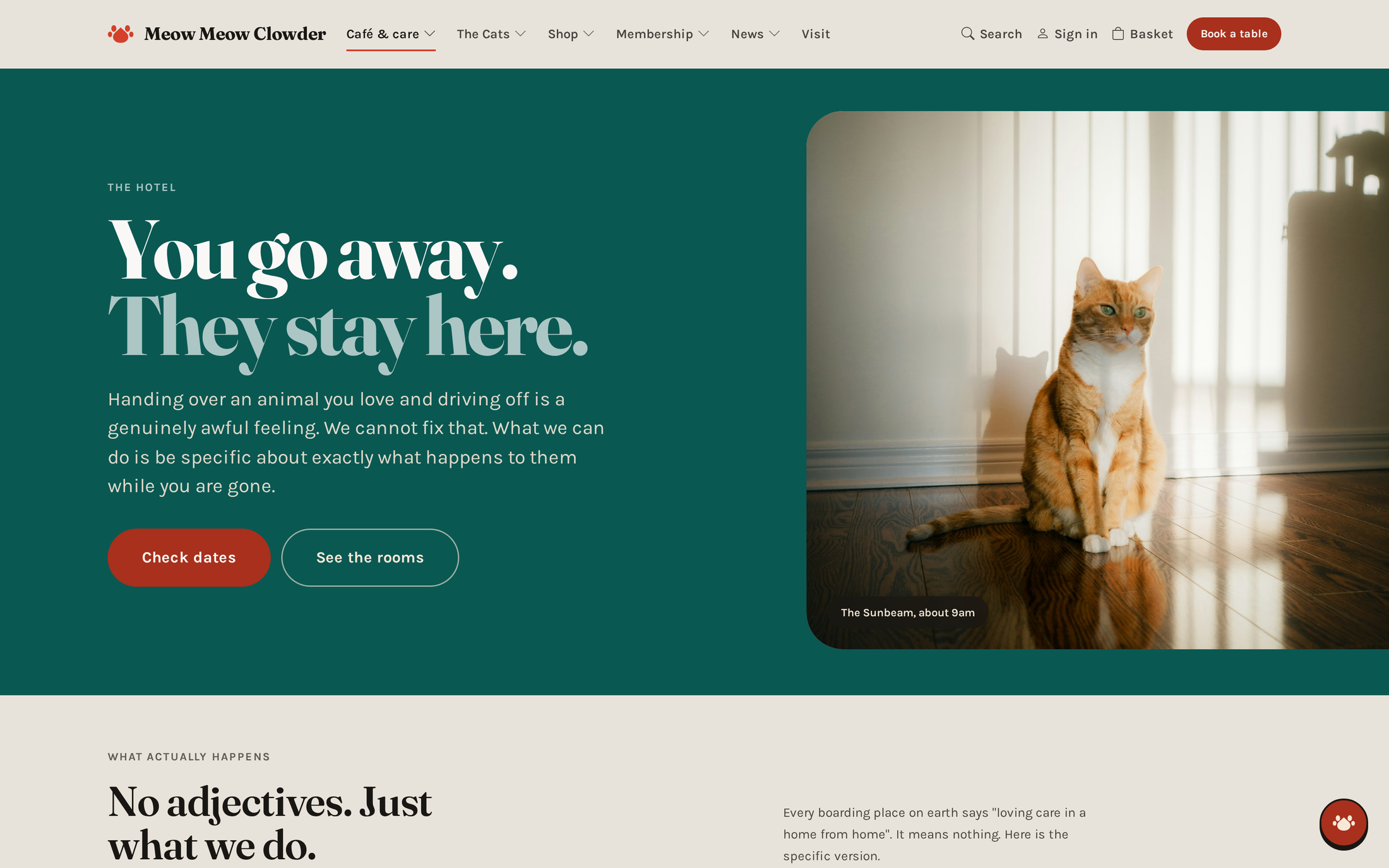
The hotel — real room availability
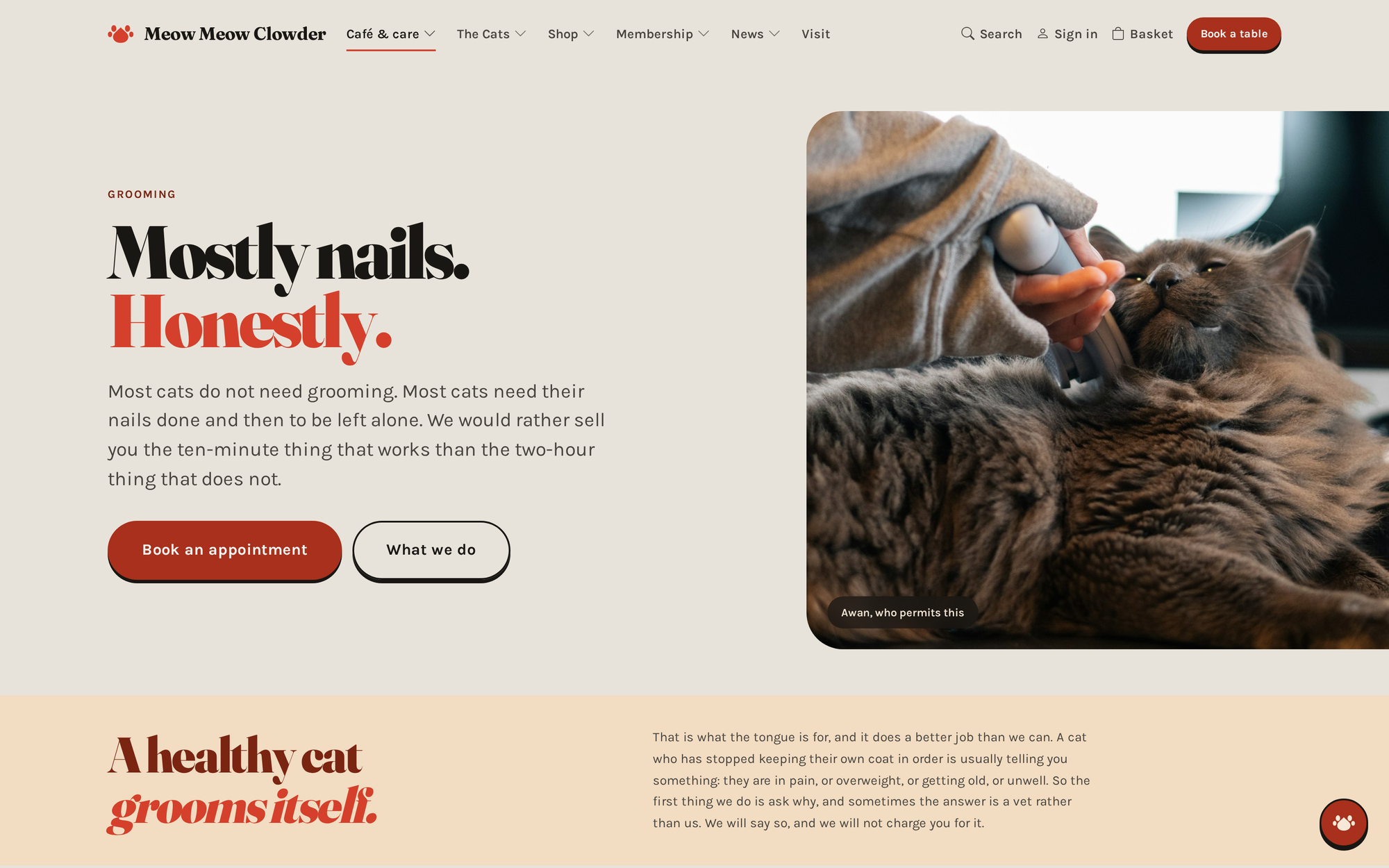
Grooming — book an appointment
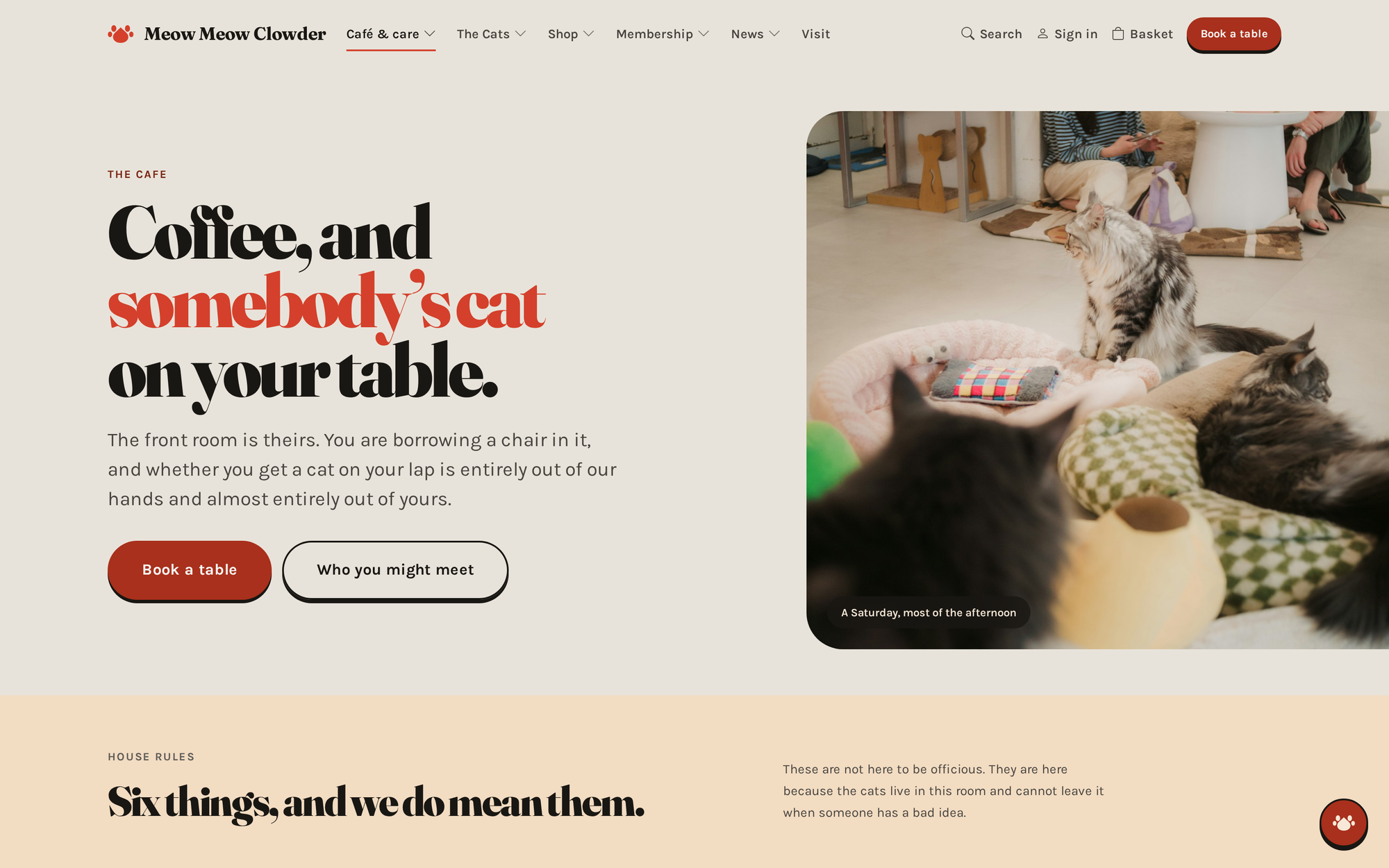
The cafe menu
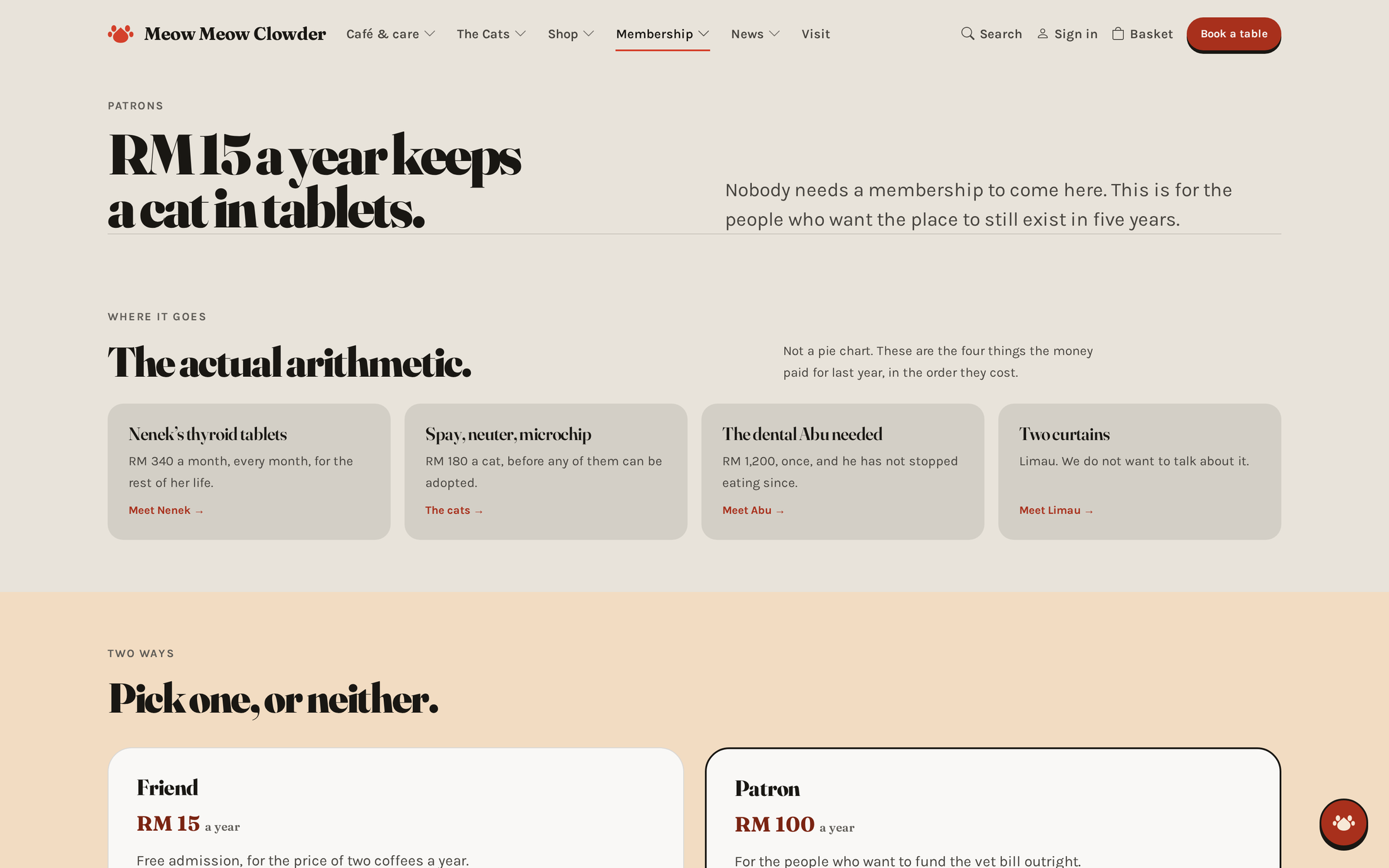
Membership — what it costs and why
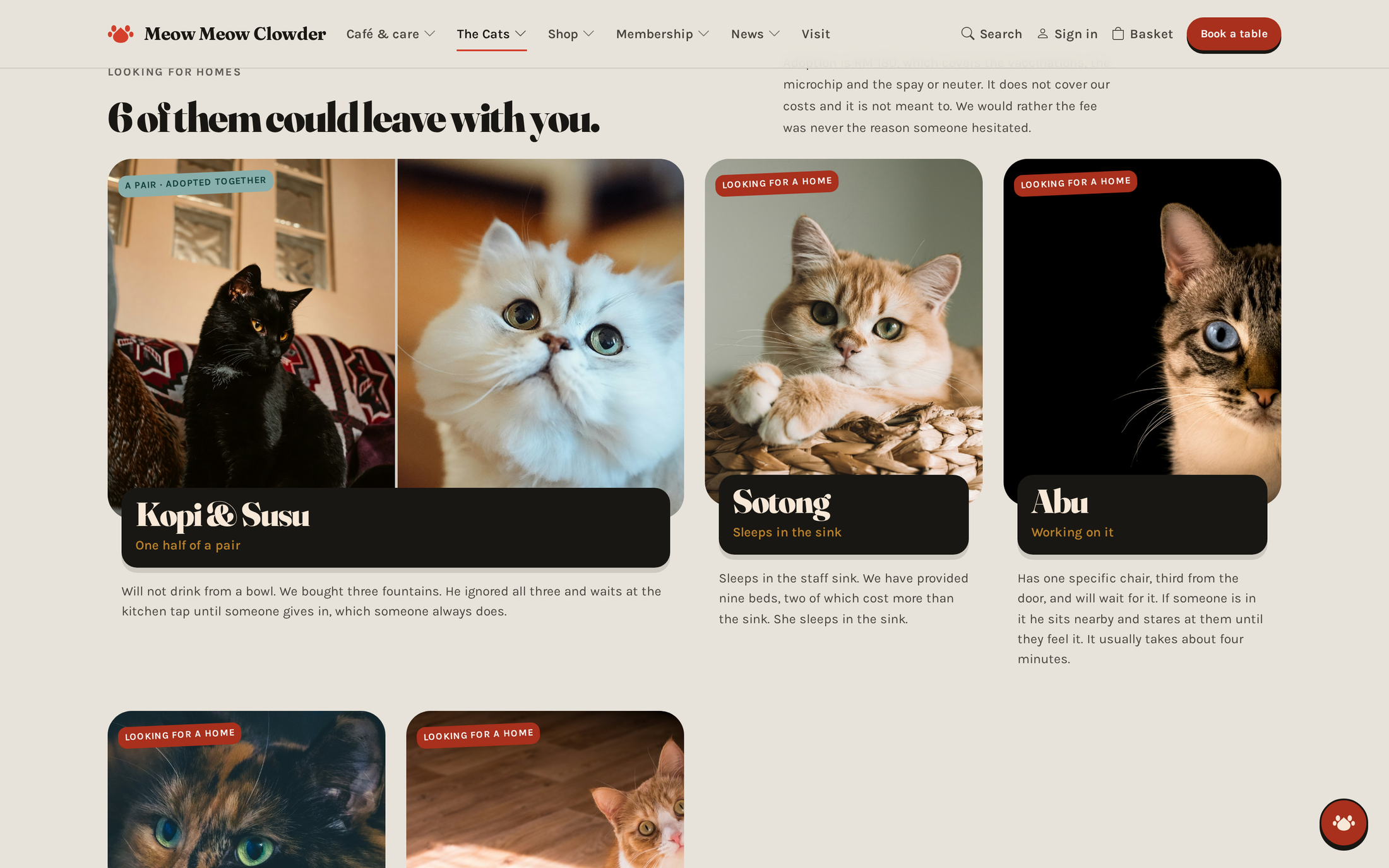
Adoption, start to finish
The Cat Cafe24
05 · The Cat Cafe · Flagship
The owner builds their own pages
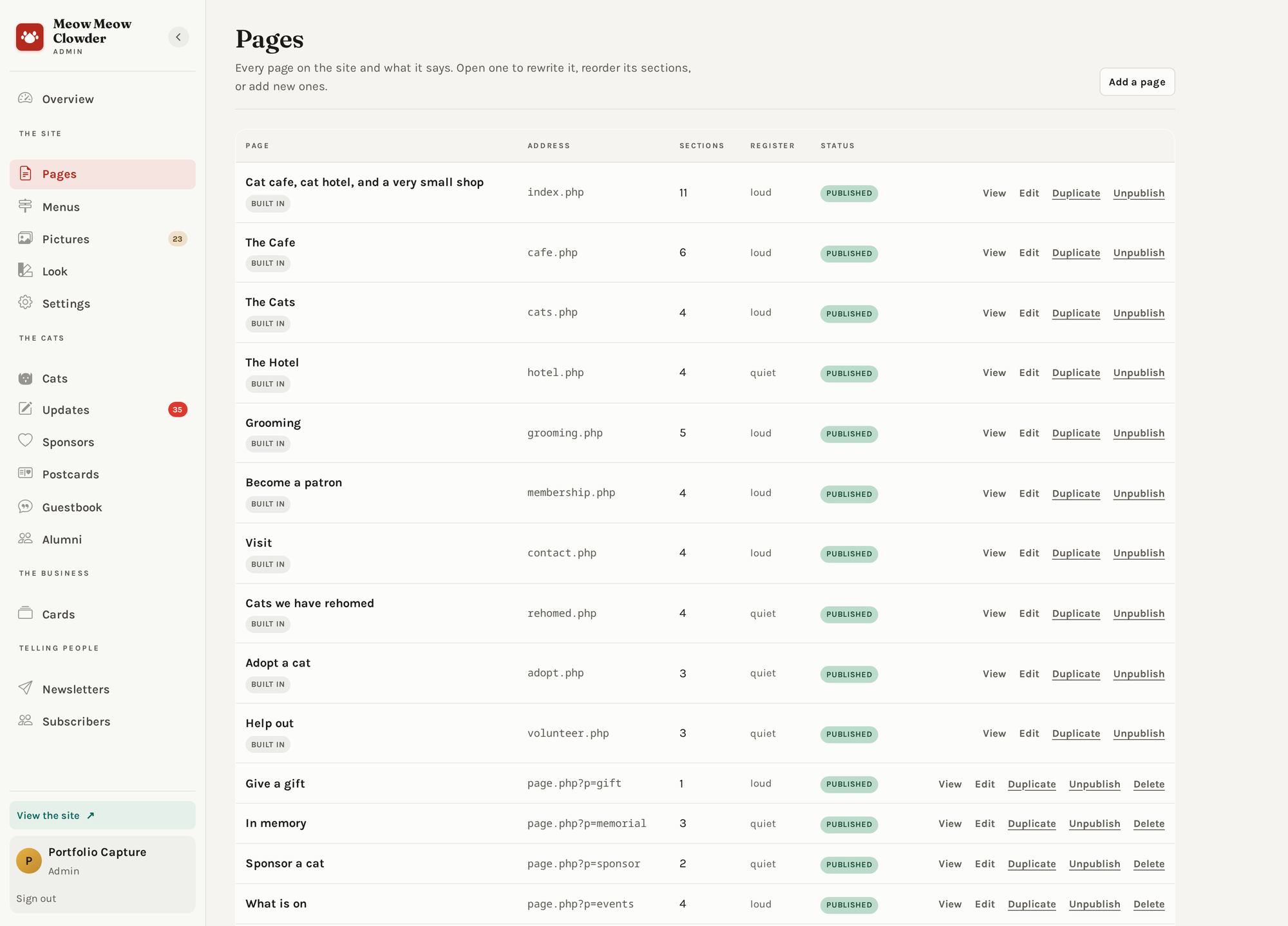
Every page on the site, how many sections each has, and whether it is live
The problem with website builders
Give someone fonts, sizes and spacing and they will make an ugly page.
Then the business looks worse than before it had a website.
So those levers are not there
The owner picks which sections a page has, what order they come
in, and what they say. Fonts, sizes and spacing are decided once, by the
stylesheet. A non-designer cannot produce an ugly page, because none of the
levers that make pages ugly are exposed.
Nothing is lost
Every edit keeps the previous version, so a page can always be put
back the way it was.
The Cat Cafe25
05 · The Cat Cafe · Flagship
Describe the page, and it drafts it
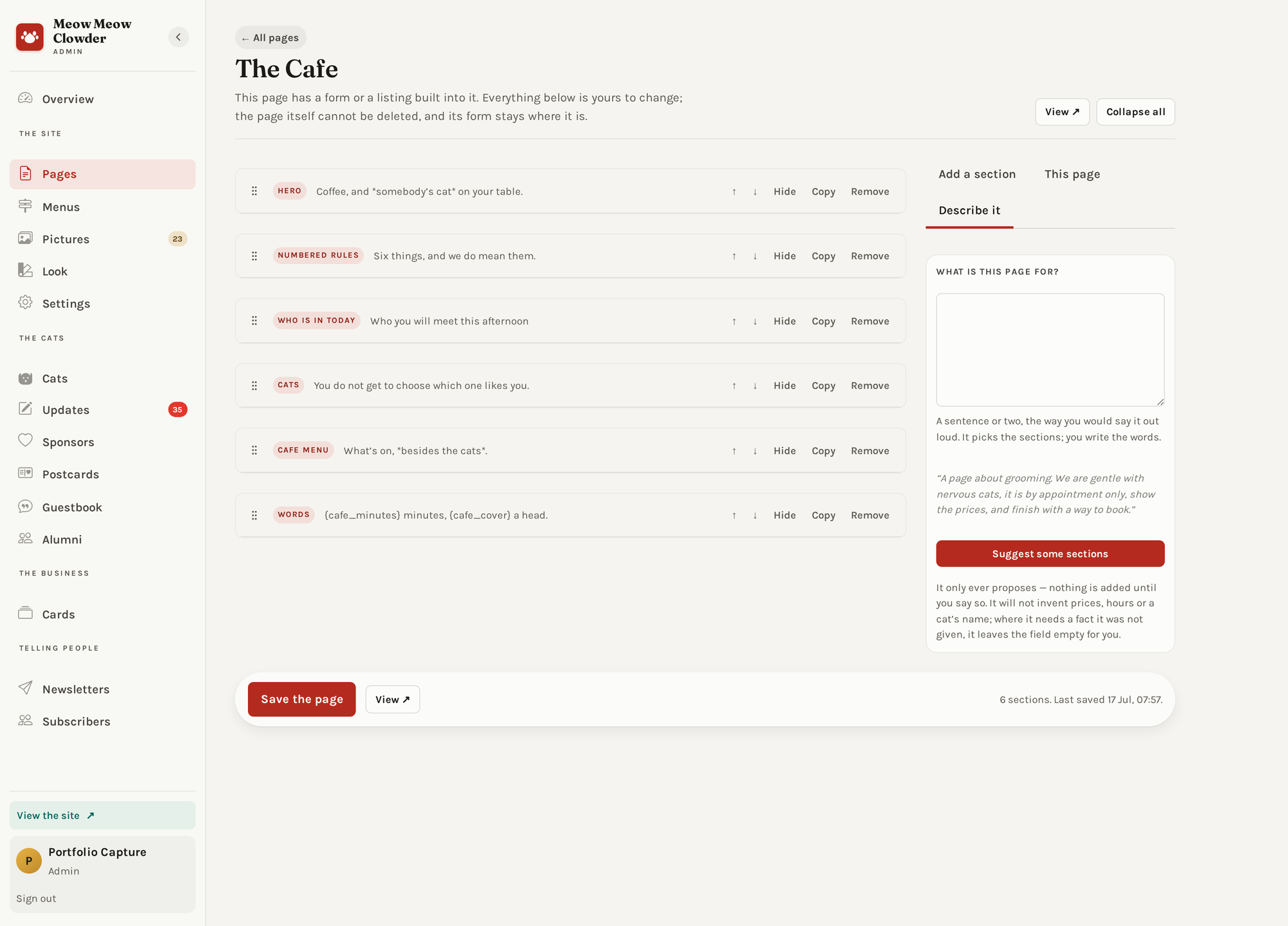
Say what the page is for in a sentence — it comes back with the sections
It writes sections, not code
The AI picks from the same set of sections the owner picks from. It
cannot invent a layout, produce broken markup, or escape the site's look —
because its answer goes through exactly the same door a human's does.
A draft, never a decision
Nothing is published. The owner reads it, keeps what is useful, and
throws away the rest.
The worst it can do
Suggest a page you did not want — and there is a button for that.
The Cat Cafe26
05 · The Cat Cafe
The room where the shop is run
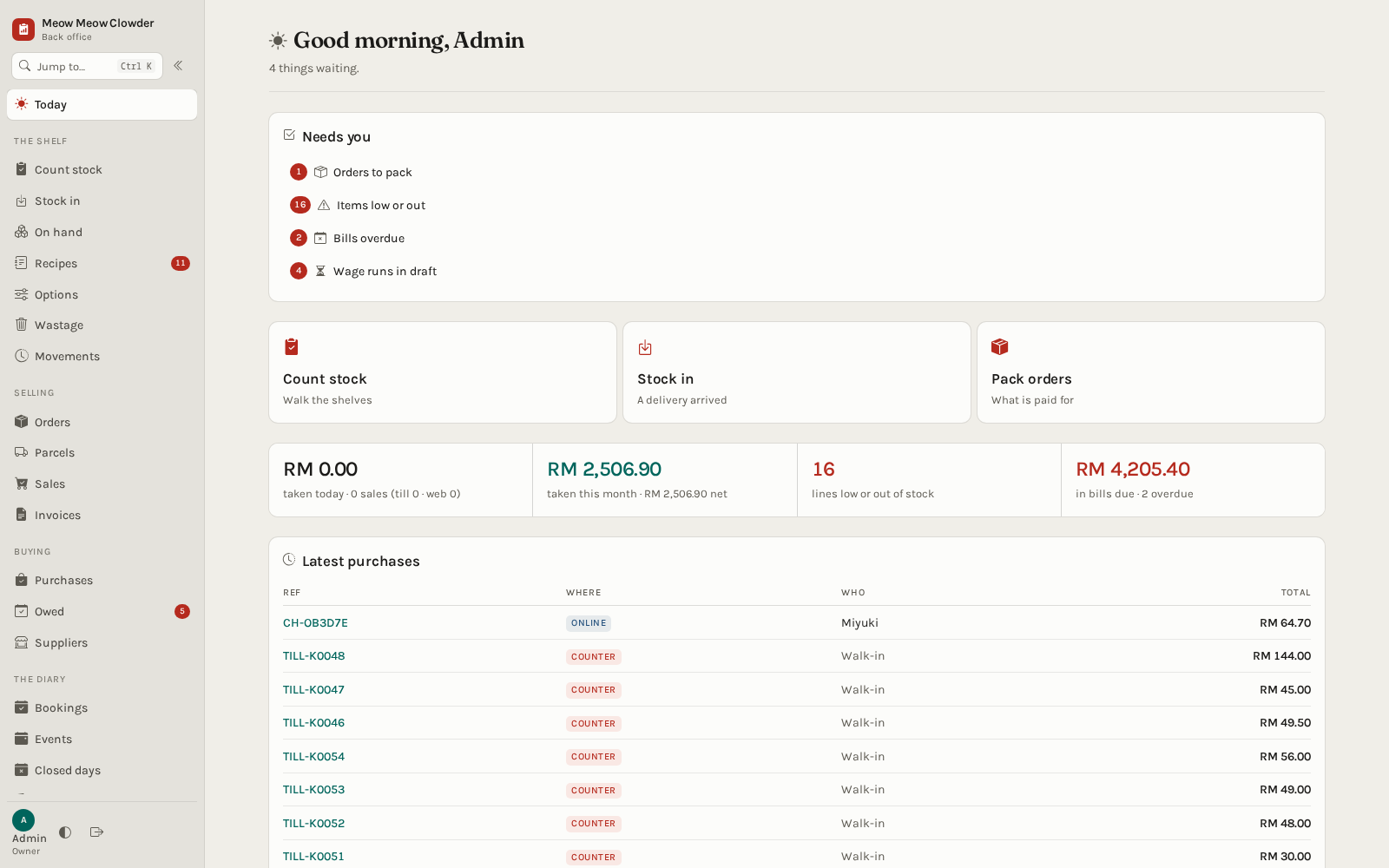
The morning view — what needs a person, and what the shop took this month
Everything in one place
The money, the stock, the bookings, the suppliers and the wages — all
run from here, all on the same records as the website, the till and the app.
The money is shown only to whoever may see it
A floor-staff account does not land on the shop's profit and loss. It is
not hidden behind a lock — it is simply never drawn.
Every change is written down
With five programs writing the same data, an audit log records who did
what, and what got touched.
The Cat Cafe27
05 · The Cat Cafe
The counter, and everything behind it
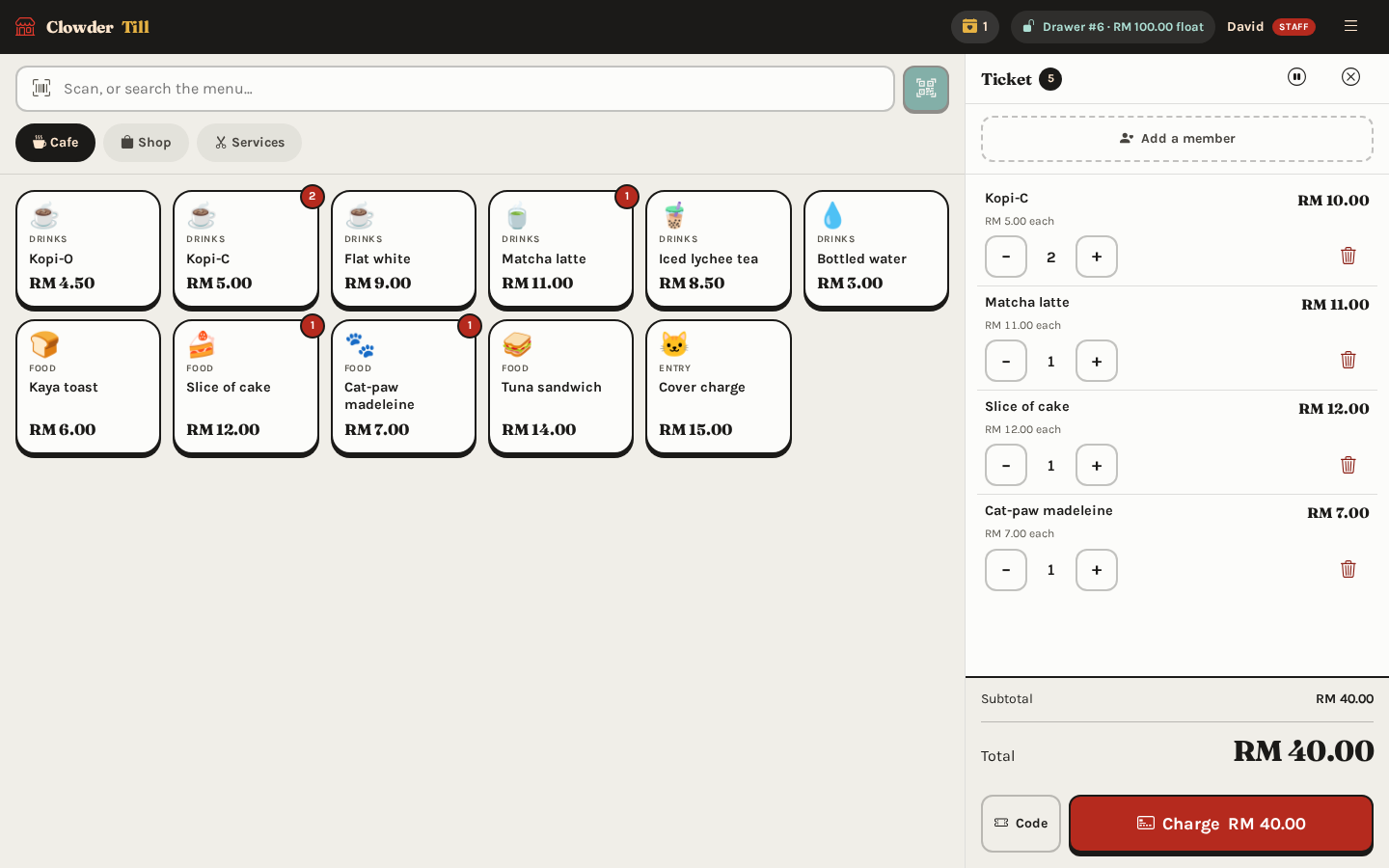
The till mid-sale — tap the menu, the ticket builds, one button charges it
The website, the till, the office and the app
All four read and write the same records, so a bag sold at the counter
disappears from the website immediately.
Prices live in one place
Change a price once and it changes everywhere. Nothing can be sold at a
price somebody typed in by hand.
A double-tap cannot charge twice
If the wifi drops mid-payment and the till retries, the customer is still
only charged once.
The Cat Cafe28
06 · The Member App
Your card, always one tap away
Show it at the counter
The card button sits in the middle of the bar, so the code is one press
away from anywhere in the app.
Everything on one screen
Points, stamps, the next reward and any parcel on its way — without
scrolling.
Real information
The member number, tier and bookings you see here are coming from the
cafe's own records while the photo was taken.
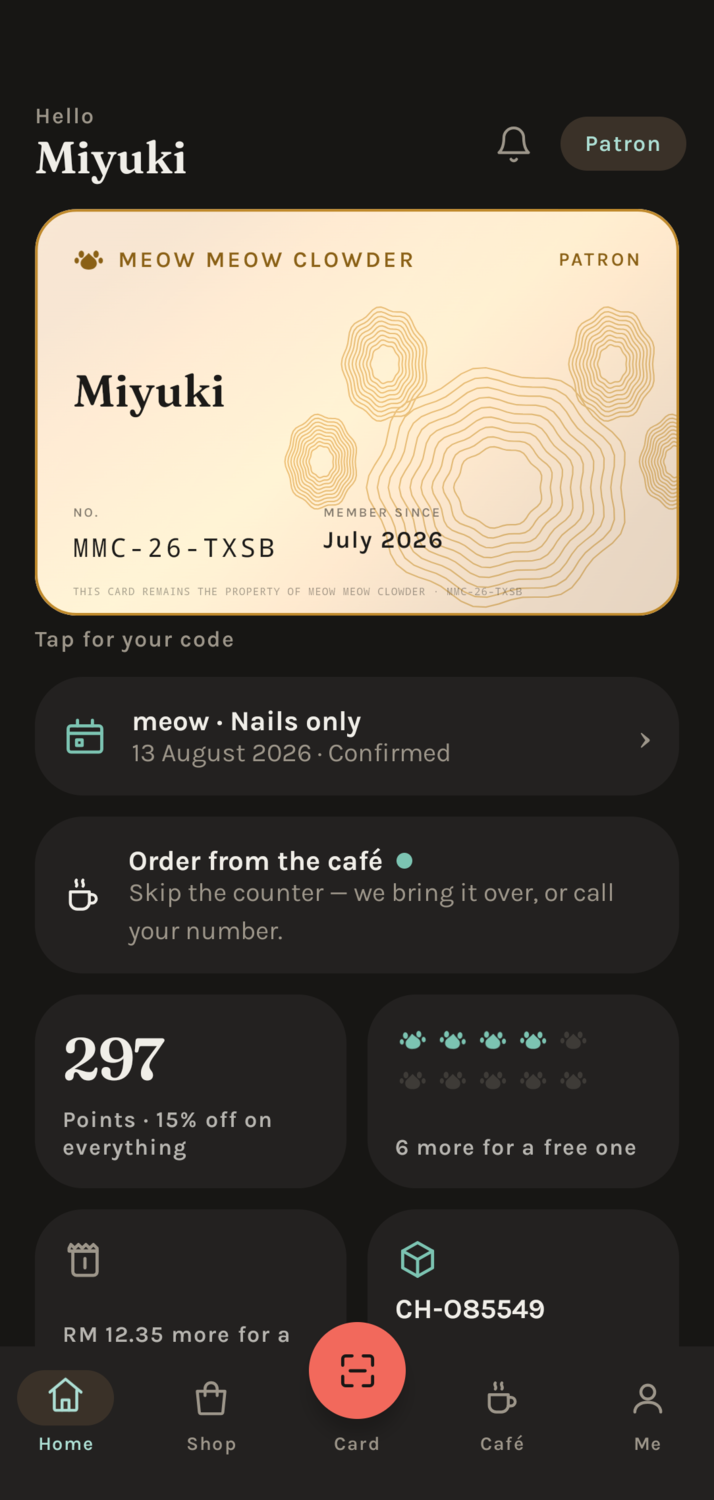
Home
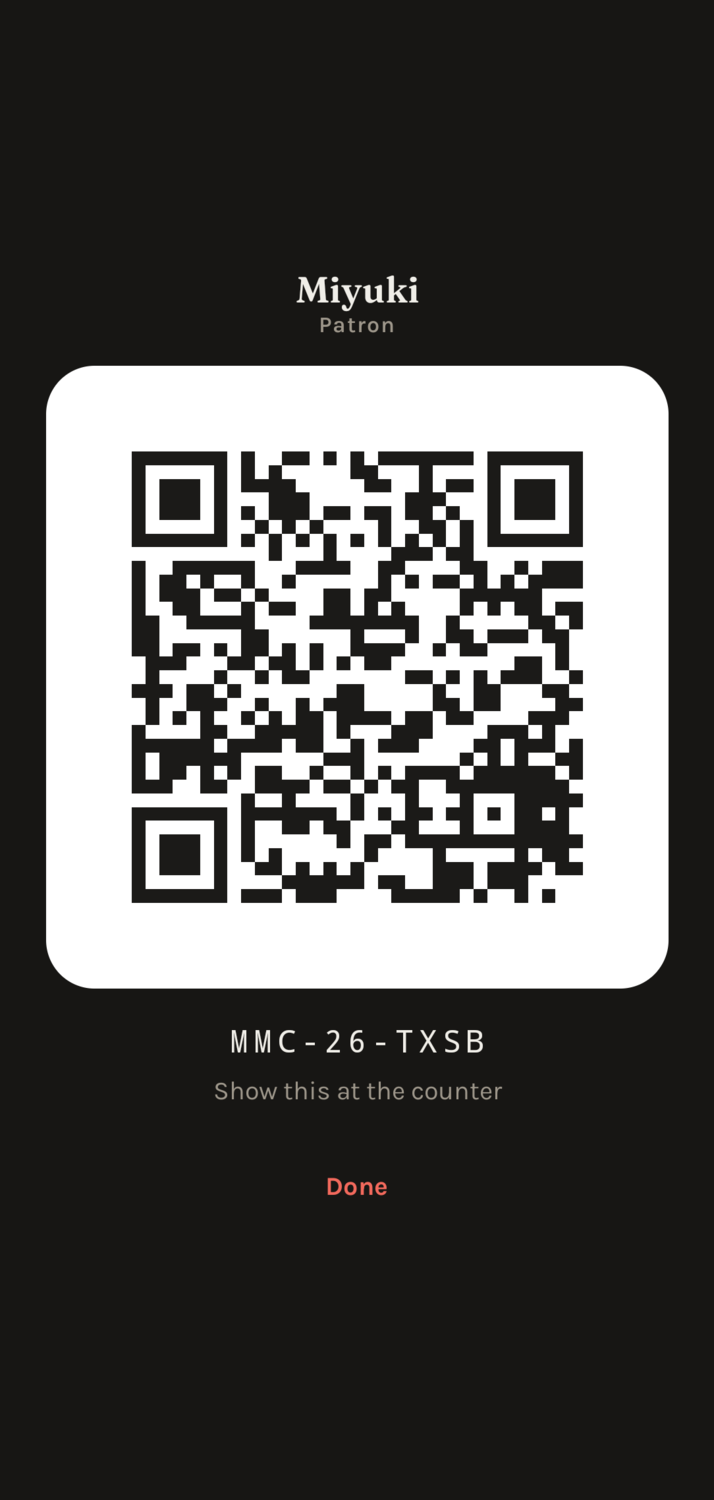
The card
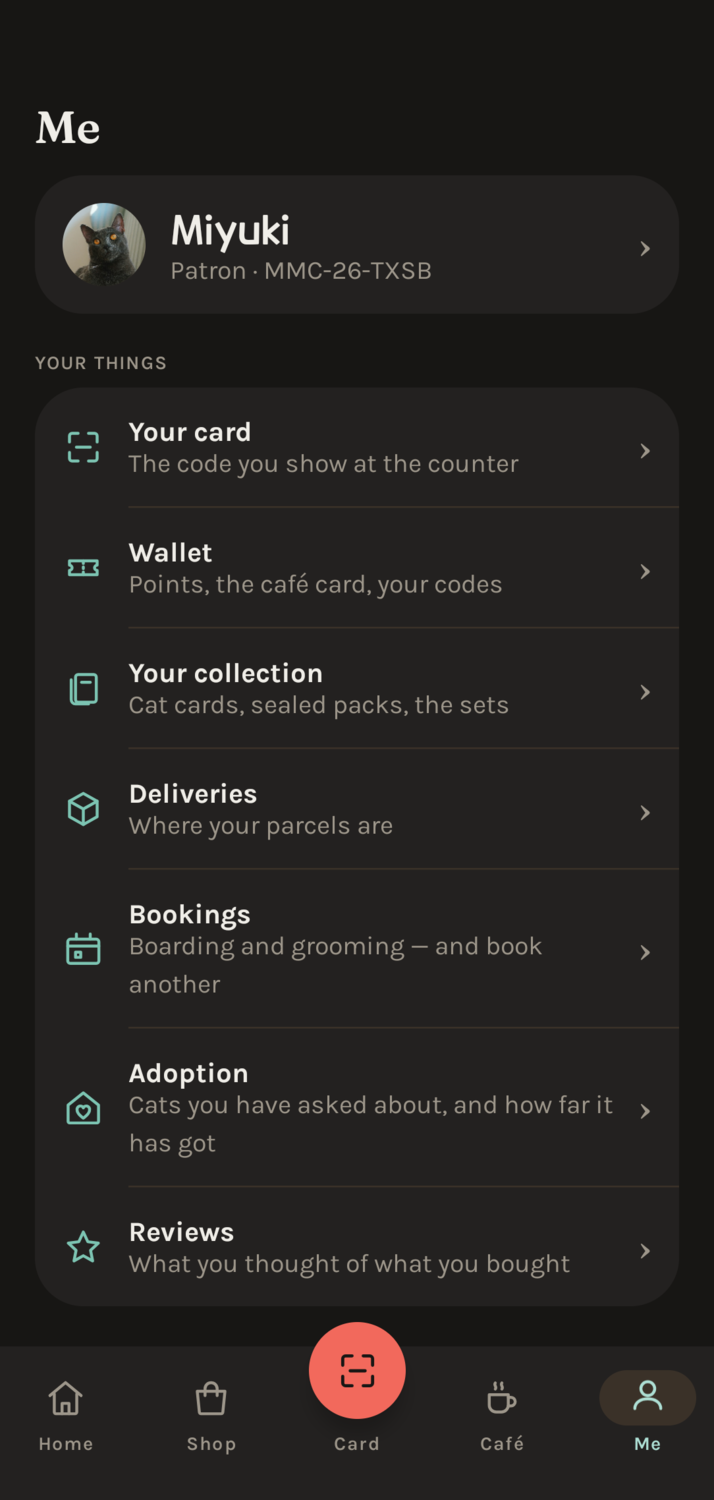
Everything else
The Member App30
06 · The Member App
Buy something, order a coffee, collect cards
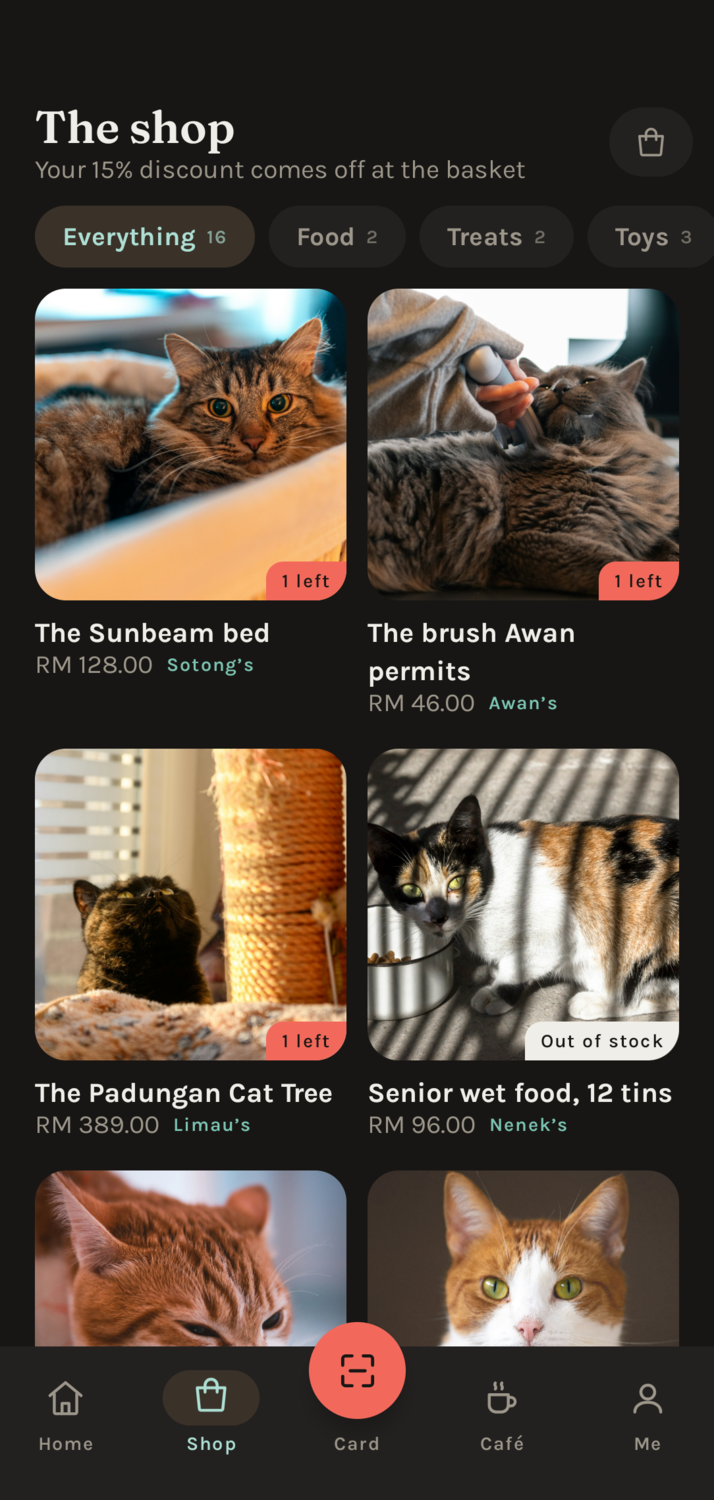
Shop — "1 left" is the real shelf
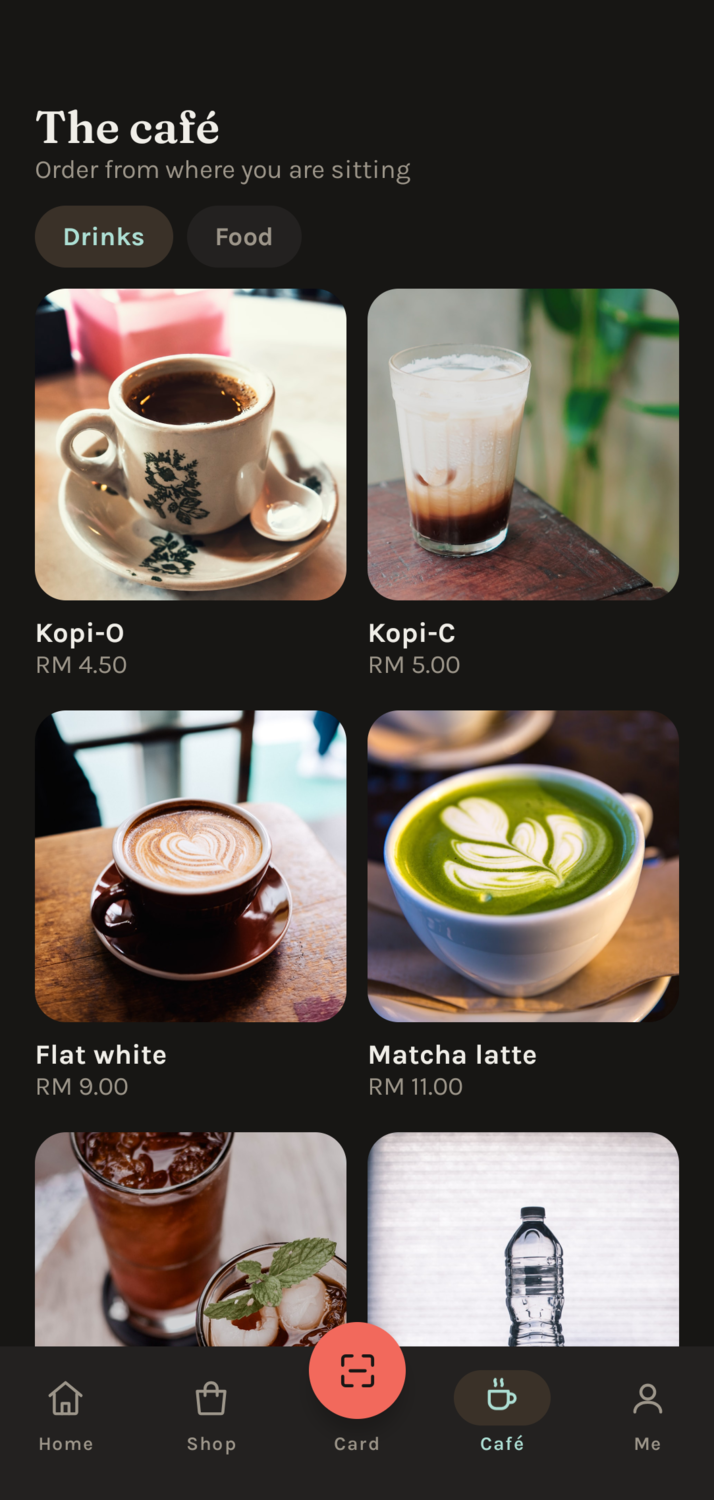
Order from your seat
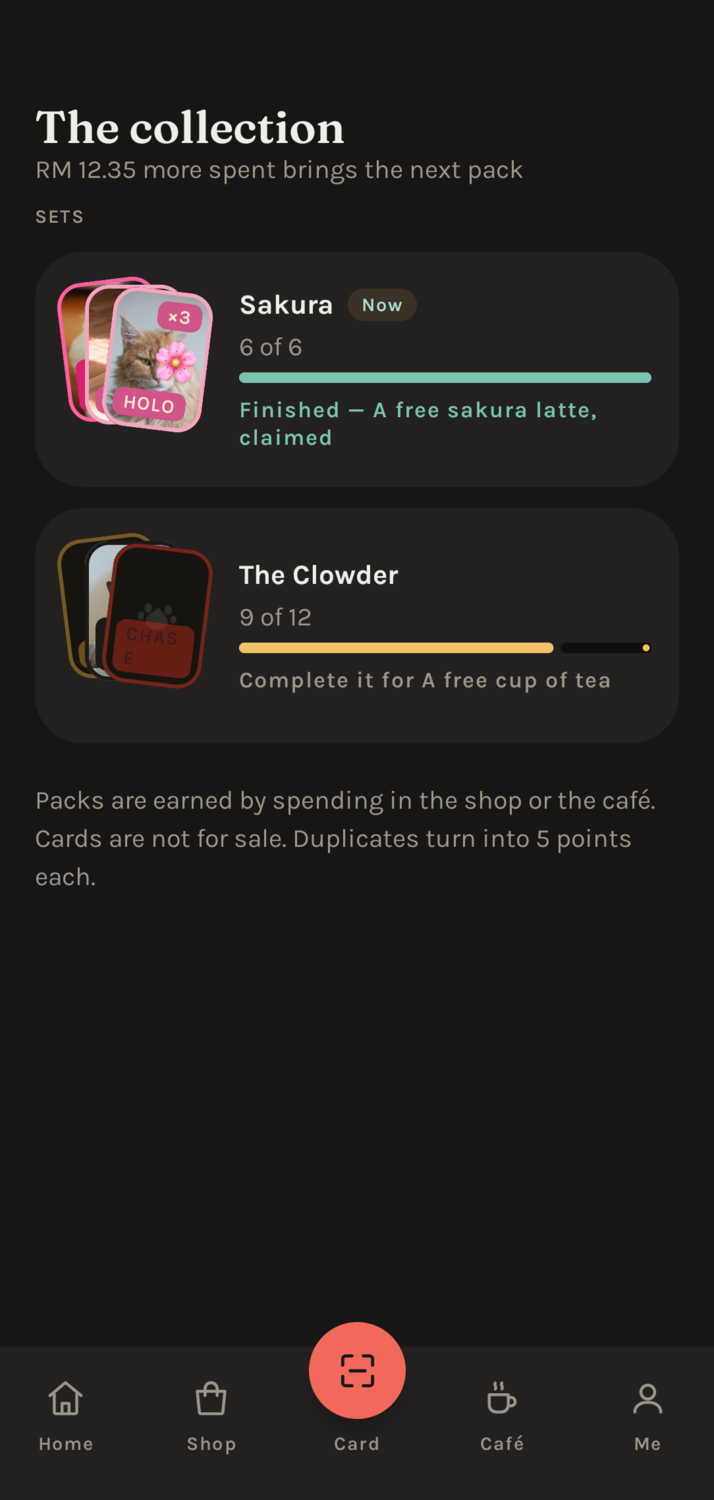
Collectable cat cards
A reason to come back
Spending earns a pack of collectable cards of the cafe's real cats.
Finish a set and you get a free drink.
Nothing is invented
If the shelf says one left, the app says one left, because both are
reading the same record.
The Member App31
06 · The Member App
Points, bookings and deliveries
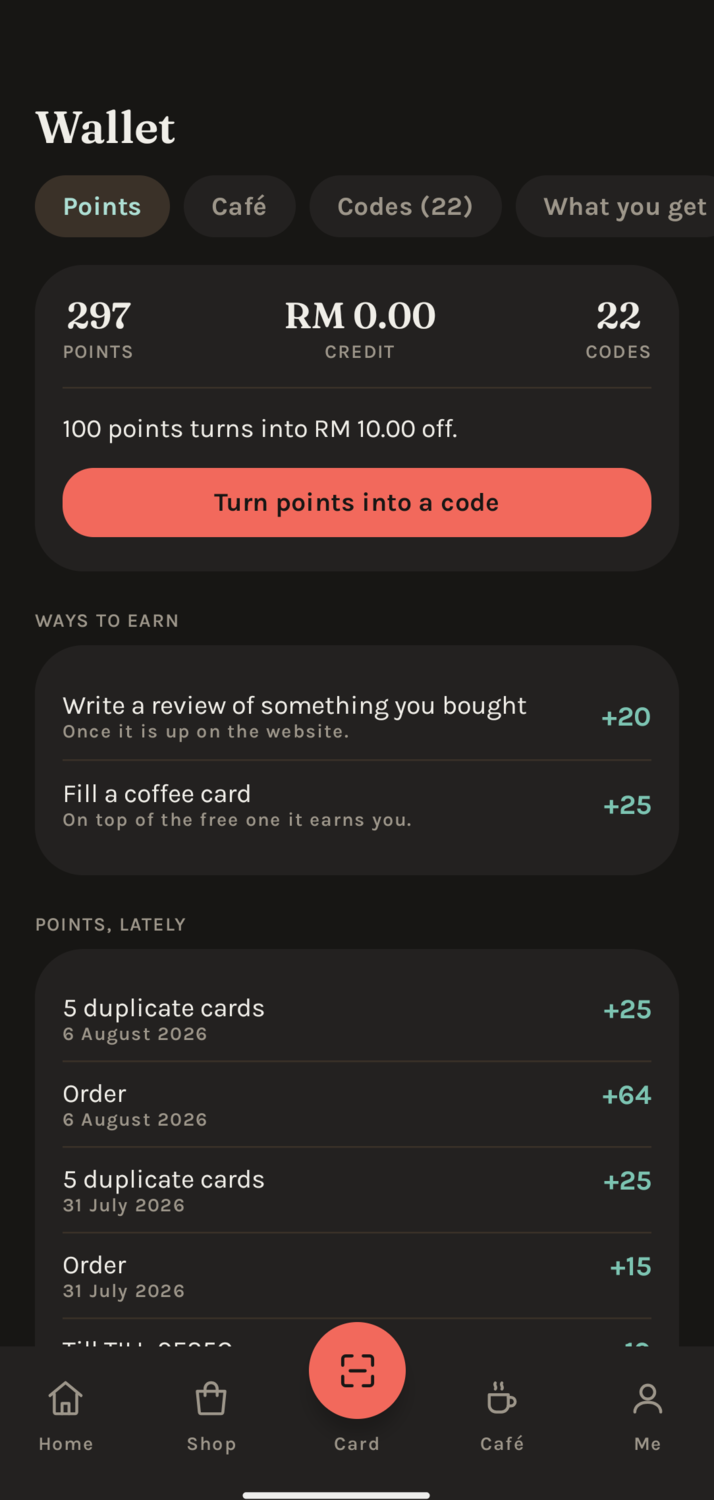
Points — and exactly how each one was earned
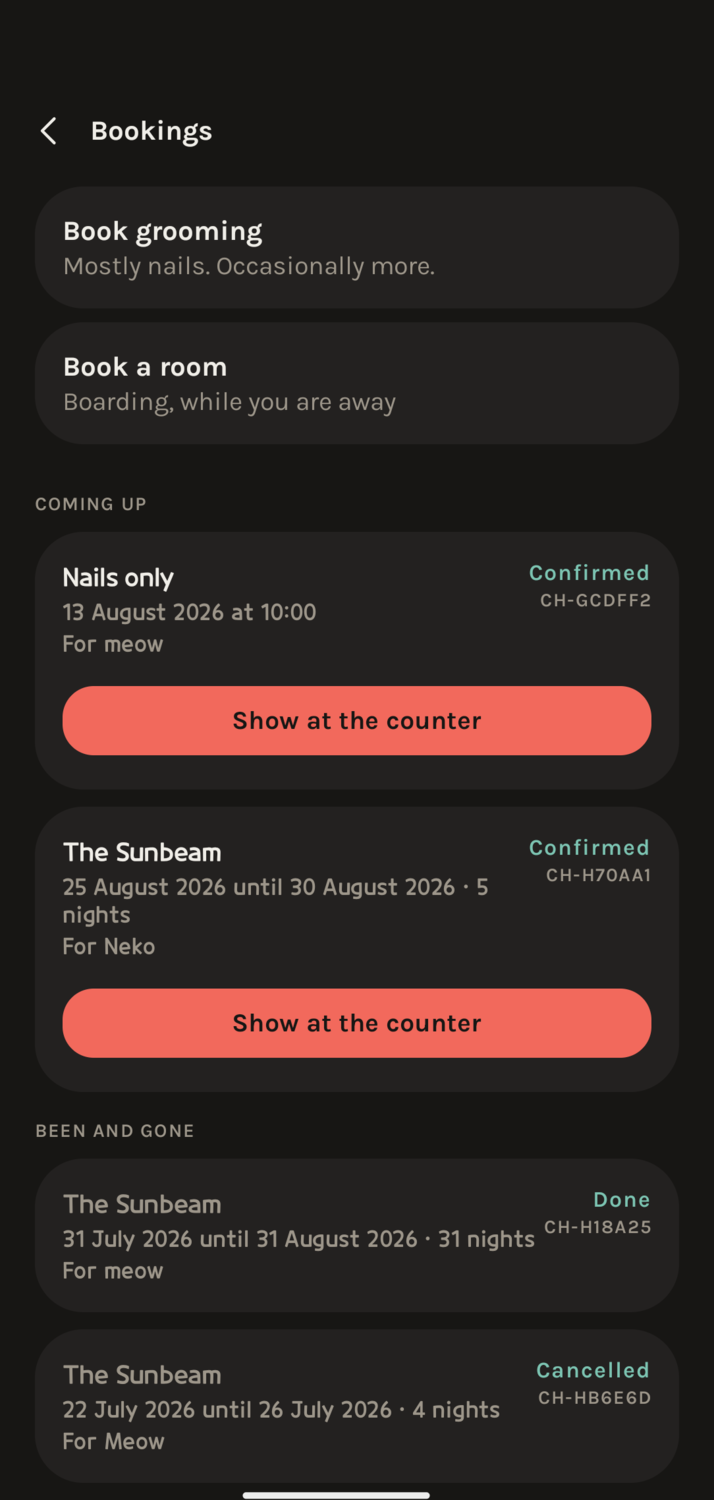
Grooming and boarding bookings
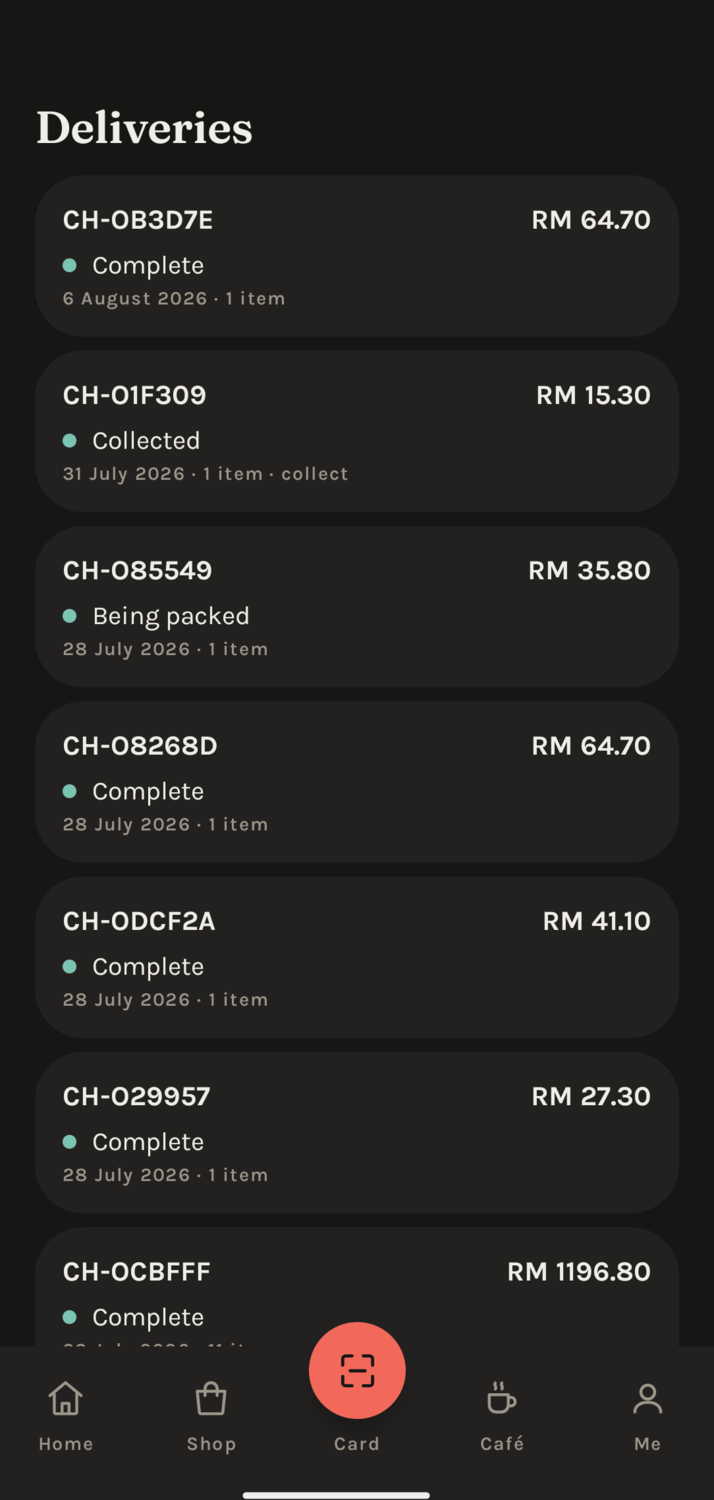
Where the parcel is
No more "how many points do I have?"
Every point is listed with the date and the reason, so nobody has to take
the shop's word for it.
The phone is the ticket
A booking carries its own reference to show at the counter.
The Member App32
22 June – 14 August 2026 · Philoentree IT Digital
Thank you for all
the support and care.
Six systems, eight weeks, and a great deal learned from the people who
answered my questions along the way. Every screen in this deck is working software —
not one of them is a drawing of something that might exist one day.
Systems built
for five businesses
In daily use
attendance & kopitiam
Ready to hand over
finished and documented
Ivan Ngu
Swinburne University of Technology Sarawak
INDUSTRIAL PLACEMENT AT PHILOENTREE IT DIGITAL · 22 JUNE – 14 AUGUST 2026
INDUSTRIAL PLACEMENT AT PHILOENTREE IT DIGITAL · 22 JUNE – 14 AUGUST 2026
Nothing to do is where you find something to do.
Ivan Ngu